



![Pure Sci-Fi Nostalgia! War Rocket Review | Hydra Miniatures [7 Days Early Access]](https://images.beastsofwar.com/2026/02/unboxing-hydra-miniatures-war-rocket-coverimage-225-127.jpg)




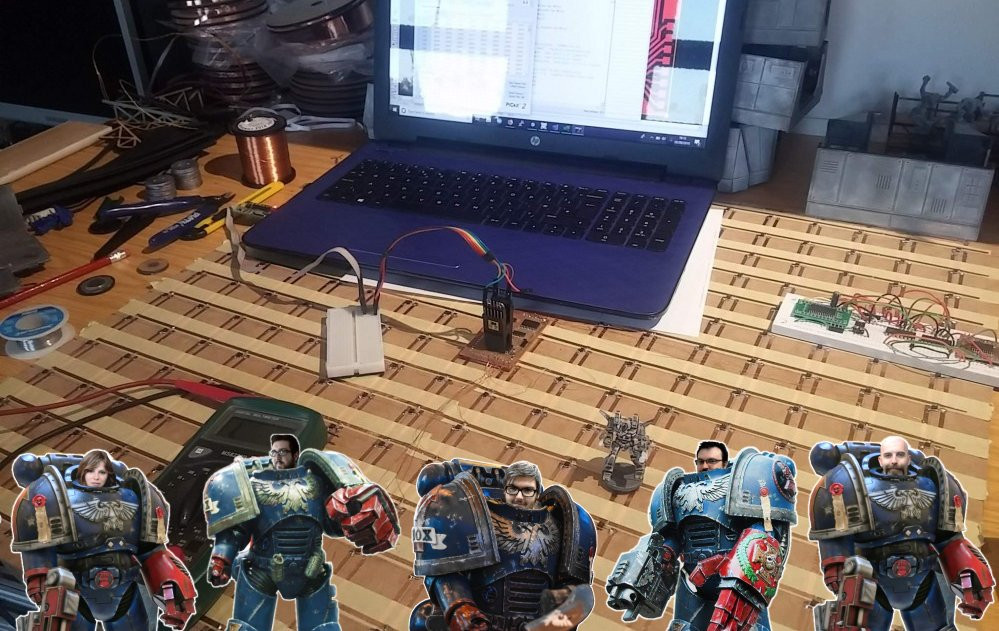
Interactive tabletop playing surface (Space Hulk Hobby Challenge)



Recommendations: 404
About the Project
Originally an idea for a two-player digital Blood Bowl game, I am creating a generic interactive playing surface - allowing players to hook up their tabletop miniature games to a tablet or smartphone. This would enable players to compete against a simple AI-based opponent. Excitingly - and inkeeping with the new Space Hulk video game, allowing players to play as either Space Marines or Genestealers - it would also allow two players to compete against each other, over the internet. Work on the underlying technology has been a hobby project for a while. The latest version allows anyone to use the system with their existing miniatures, using nothing more than a simple disc magnet. This competition encouraged me to get my finger out and actually complete the hardware and make a workable, two-player game, to demonstrate the potential of such a playing surface.
Related Game: Space Hulk
Related Company: Games Workshop
Related Genre: Science Fiction
This Project is Completed
How the sensor array works
As development continues, there’s not really much to show on that front, other than a screenful of Visual Studio compiler errors, crash reports and a big pile of hair on my desk, where I’ve been pulling it out for four days.
But there’s more to this project than just coding (would that it were).
I’m hoping to get a video showing the hardware in action in the coming days, but in the meantime there’s been a few queries about what exactly “the hardware” does. It’s basically a grid of hall sensors and as each one is triggered (either activated or deactivated) it sends a message to the game/app via bluetooth.
Here’s a simple demonstration of how hall sensors work; different sensors work on different gauss strengths (i.e. some are more sensitive than others).
Each sensor is connected to a power source (in this case, a simple 3v battery) and ground. As the magnet comes close to the hall sensor, the third leg also gets pulled to ground; if the video I’m using this to make the LED light up. In practice, this leg is connected to an input pin on a microcontroller to create a digital signal (so we can tell when the magnet has been either put close to the sensor – LED would light up – or when it’s been moved away – the previously lit LED goes out).
Now that’s fine for one single sensor.
We’ve got a grid of 256 of them! (that’s a 16×16 arrangement). Even the largest microcontrollers don’t have 256 inputs (and those that do don’t have the necessary pull-up input resistors built in). We need to use a different technique to read the array.
Multi-plexing is the process of reading a grid of sensors (or activating a grid of LEDs if you’re using the output of a microcontroller) in a line-by-line fashion.
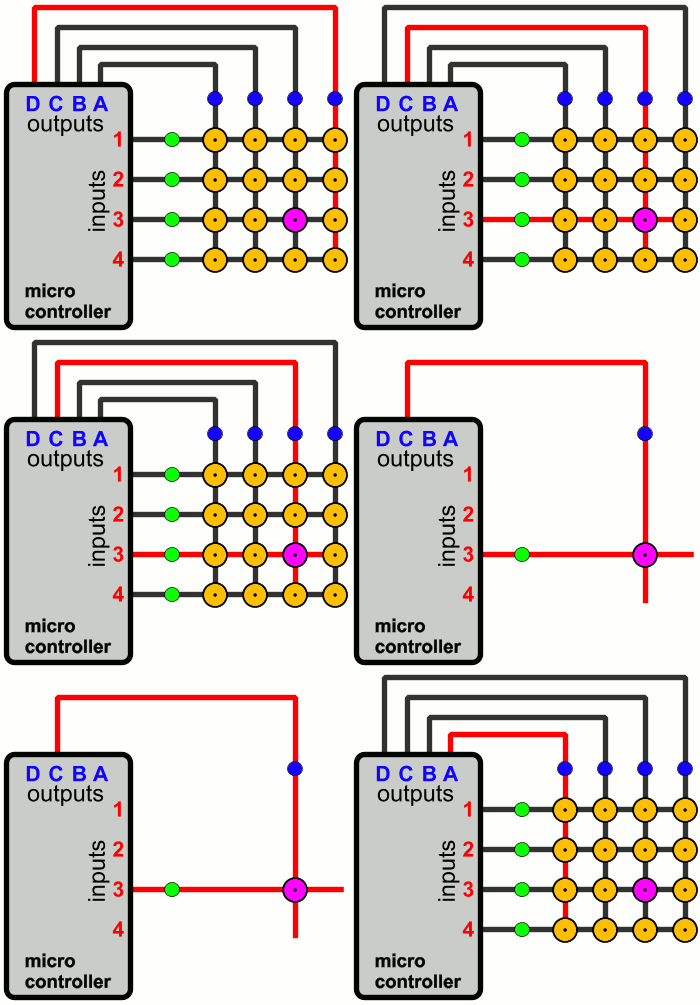
The power for all of the sensors are connected in columns. All the inputs from a single row of sensors are connected together. When we get a signal from, for example, input row three, we then look at which column we’ve activated.
By comparing the currently active column and seeing which input row has created a signal, we can work out which individual sensor triggered the signal. By splitting the matrix down into 16 rows and 16 columns, we’ve reduced the number of required microcontroller pins down to just 32.
Luckily, microcontrollers work really, really, quickly.
So we can “scan” through all 16 rows tens – if not hundreds – of times a second; certainly fast enough to provide a timely response when the player places or removes a magnet immediately over a sensor.
Now all that remains is to create a message to tell our app which particular sensor has detected the change in presence of a playing piece. The easiest way to do this is using a serial-to-bluetooth module. These are readily available, easy to work with and relatively cheap (maybe £3 from eBay).
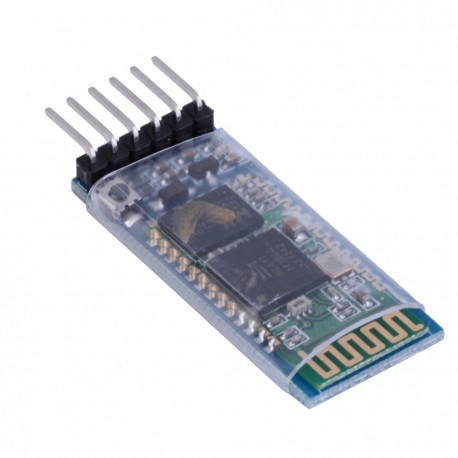
Simply connect one to the RX/TX lines of the microcontroller and now, when we send data over serial/UART (a relatively simple task for anyone with basic electronics/Arduino/microcontroller experience) the message appears in the app, thanks to the Unity-bluetooth code library.
A bit of hocus-pocus and some code bashing and we can control the characters in our app/game by moving playing pieces over the top of the sensor array. Just a little more debugging and a video will follow very soon……
Creating games in Unity is just too much fun
Unity is both frustrating and wonderful to write games on.
For simple, pick-up-n-play mobile apps, it can be brilliant. But for a game like this, where the player selects an action (in our case it just so happens to be by picking up a playing piece and putting it down on some dedicated hardware) and then the responses are played back exactly, it can be pretty frustrating.
Of course, once one player has taken a turn, it’s important that we can record exactly what happened, and in what sequence, so that it can be played back on the other player’s device, when it’s their turn to play.
So far getting this exactly right has gone from a labour of love to a headache and a chore!
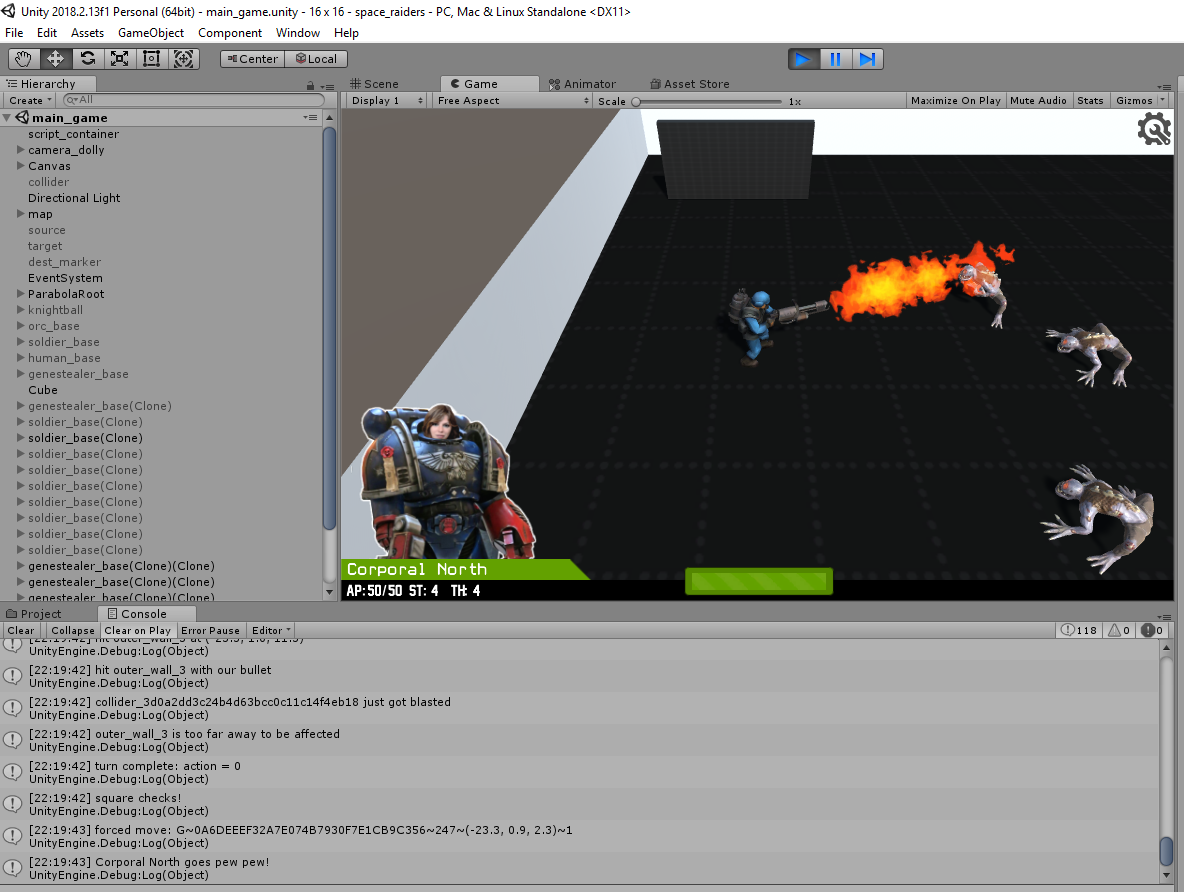 Just like real Space Marines, different characters can have different weapon types
I’m using the Unity Toon Soldiers (https://assetstore.unity.com/packages/3d/characters/humanoids/toon-soldiers-52220) as proxies for my Space Marines (ssshhh, don’t tell GW, I’ve heard they can get a bit upset at players using proxy models).
These great little characters come with a selection of weaspons – handguns, assault rifles and so on. With a little creativity, it’s easy enough to swap out bullets for lasers, to bring them up into the 41st century.
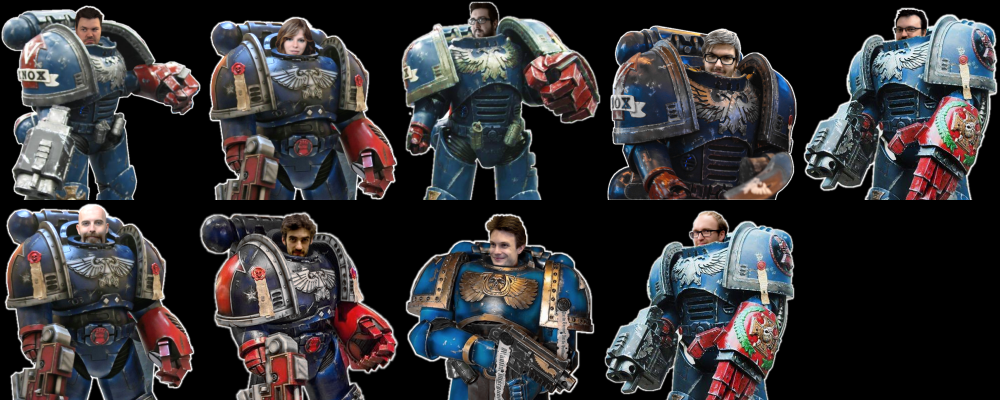
But one thing I’ve been having a lot of fun coding up are weapons that behave very differently to “regular bullet-based” ballistics. Like flamethrowers. With “real work” and other things, finding time to work on the project is hard enough as it is. But when I do finally get a few hours to write code, I find myself giggling at the Beasts of War crew dressed up as Space Marines, burning everything in their path on my sandbox test system!
Sure, like every software project, this thing is dangerously close to missing the deadline because of “mission creep”. But when you’re spending hours and hours trying to solve parabolic equations (those grenades don’t just appear on the map you know!) even the smallest of things can bring a little light relief.
I really must knuckle down and get the actual gameplay sorted out.
So far things are looking pretty good on the computer screen – one last push and it should be on a smartphone/tablet in the near future….
Not just hardware and software, but web development too
The scale of this project has ballooned quite dramatically in recent weeks, but, having been featured in the weekend roundup was quite inspiring, so I got a bit of my mojo back and pushed on.
I might even have to take a few days off work as the deadline looms — soooo much still to do (and still I can waste hours just burning toon versions of space aliens with a flame thrower, all for absolutely no purpose whatsoever!)
Of course there’s a lot of work building the electronics but, as an electronics engineer, that’s the least part of the build for me! The game/app development is proving to be a big drain on time, but there’s also a lot of time being spent building tools that nobody will ever see…
 Online character editor
An online character editor, for example.
Because if you’re going to play this game over the internet, then both players need to be able to access a common set of data; it can’t be stored locally (where nefarious types might hack into the relatively simple data structures, to give their own team an unfair advantage!)
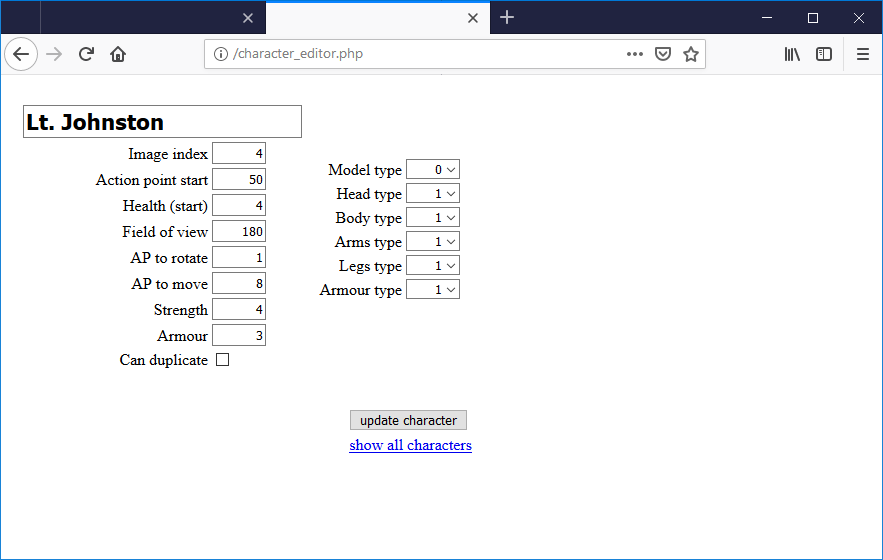 It ain't pretty.... but it works. Sort of.
Yep, it’s fugly, but it works. A simple online editor lets me set parameters about each of the teams playing – from weapon types to headgear to what type of armour they’re wearing. In time, it’d be nice to get a proper UI built around this, and a log-in system so different players could manage their own teams online.
Unfortunately, it’s unlikely that this will all be live by the end of the challenge date. So for now players just have to play with teams that I build. I just hope all that power doesn’t go to my head…..
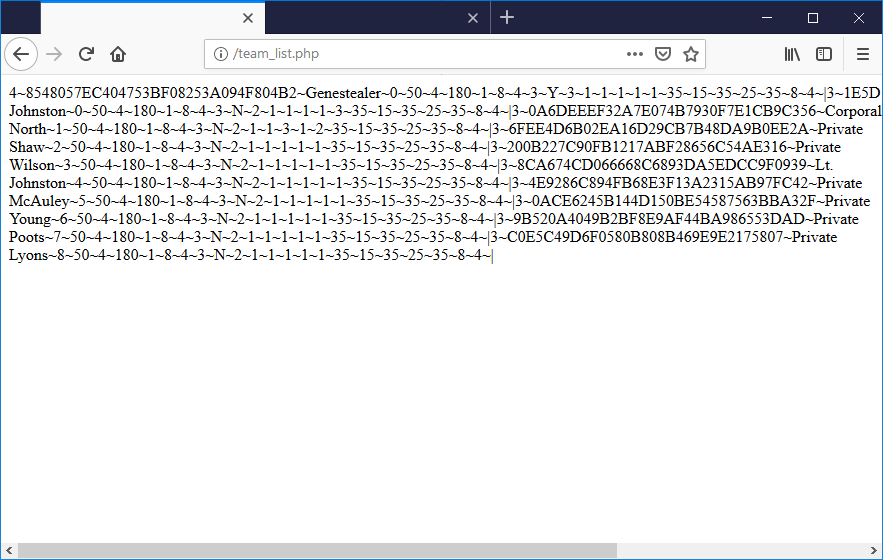 Computers like gibberish
The reason for the extra effort to build an online editor? Well, basically, because my game app uses a really crude data structure – and it mostly looks like gibberish. Anyone who’s ever worked with computers and data transfer probably recognise it as something from the late 80s – hastily delimited strings and nasty pipe characters everywhere.
Hey, don’t judge my code. It works, ok? 😉
Messing about with cameras
Yes, I know. The deadline is looming and there are plenty of other things that need to be getting done.
But hour after hour of debugging code can get pretty disheartening – especially when stuff you thought was working and put to bed suddenly breaks because you’ve tried to add in a couple more variables to make the code more “modular” and re-usable (object-oriented fans know what I’m talking about, right? Sometimes I think I should have written this in QBasic…)
Anyway, sometimes it’s nice to spend an hour and just make something that works. And can’t be broken, no matter how much extra code you throw at it.
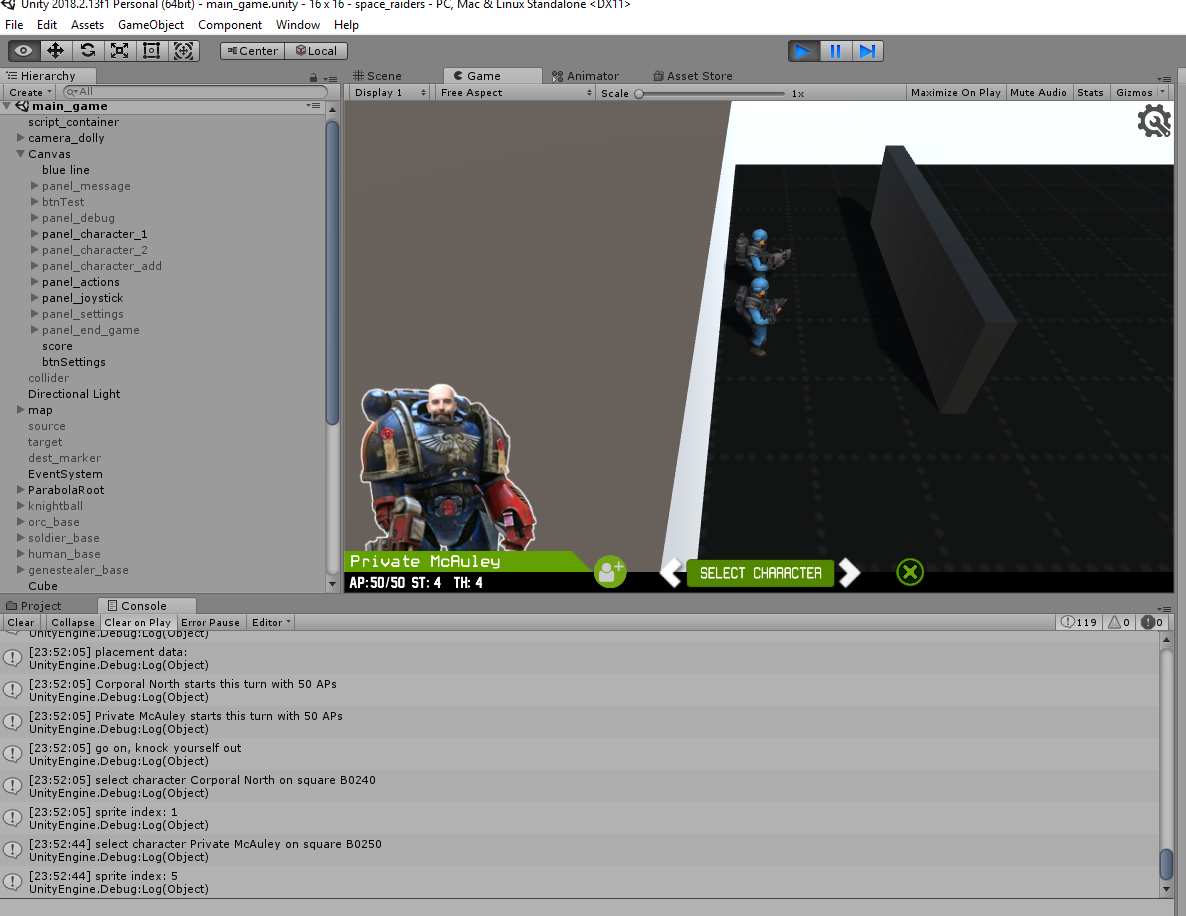 Unity makes working with the camera really easy
Thanks to the way Unity uses a “main camera” it’s really easy to offer the player multiple viewpoints, without screwing up all your trigonometry (that actually makes the game work).
Better still, it doesn’t require any tricky matrix multiplication or translations (as would be necessary if you wanted to implement different points of view to your own sprite-positioning code). Just set a couple of values and let Unity take care of things for you.
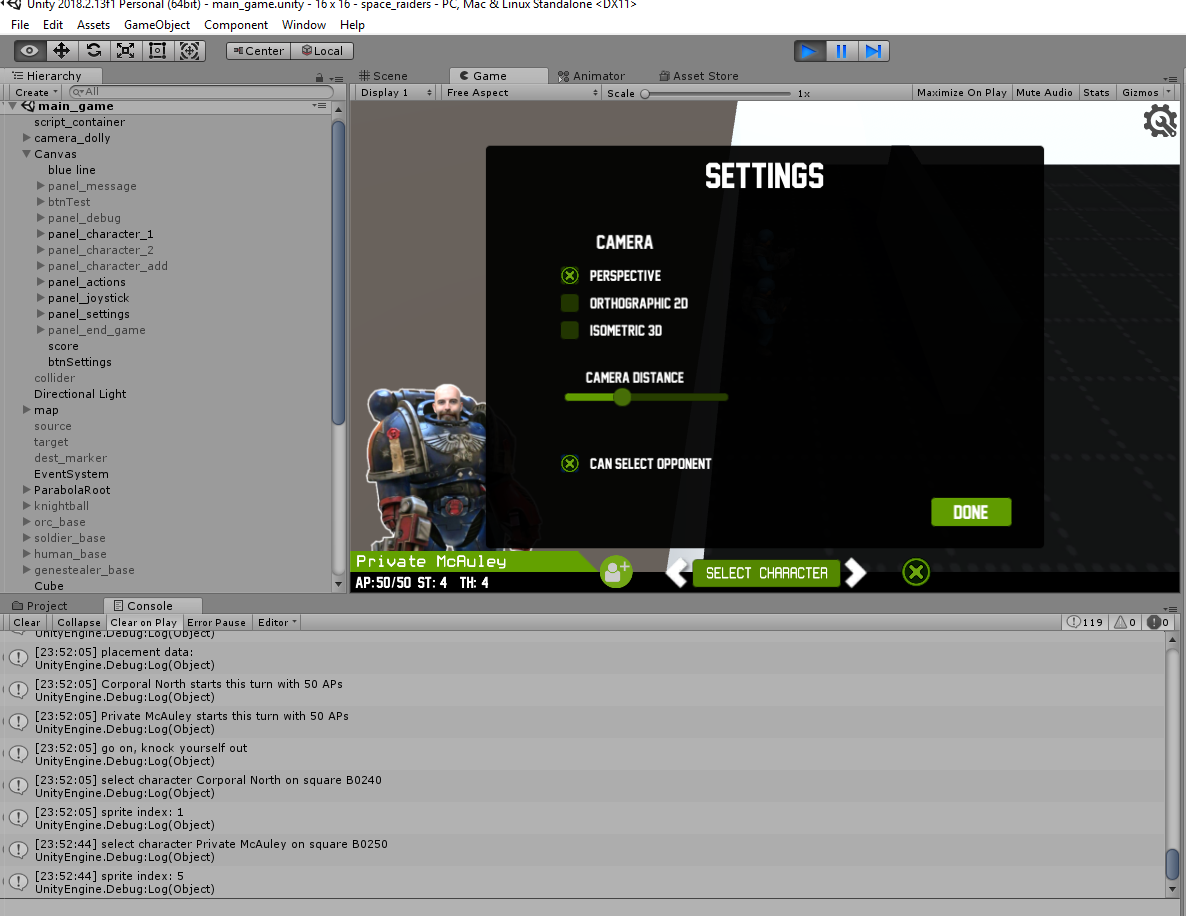 It's only a simple settings screen. But, thanks to feature creep, expect this to balloon in the coming days....
A simple settings screen lets us choose between three main different types of camera. We’ve already seen the default “perspective” view. But there’s something quite comforting about going “old school” and drawing the sprites “flat” onto the screen. Like an old Nintendo or C64…
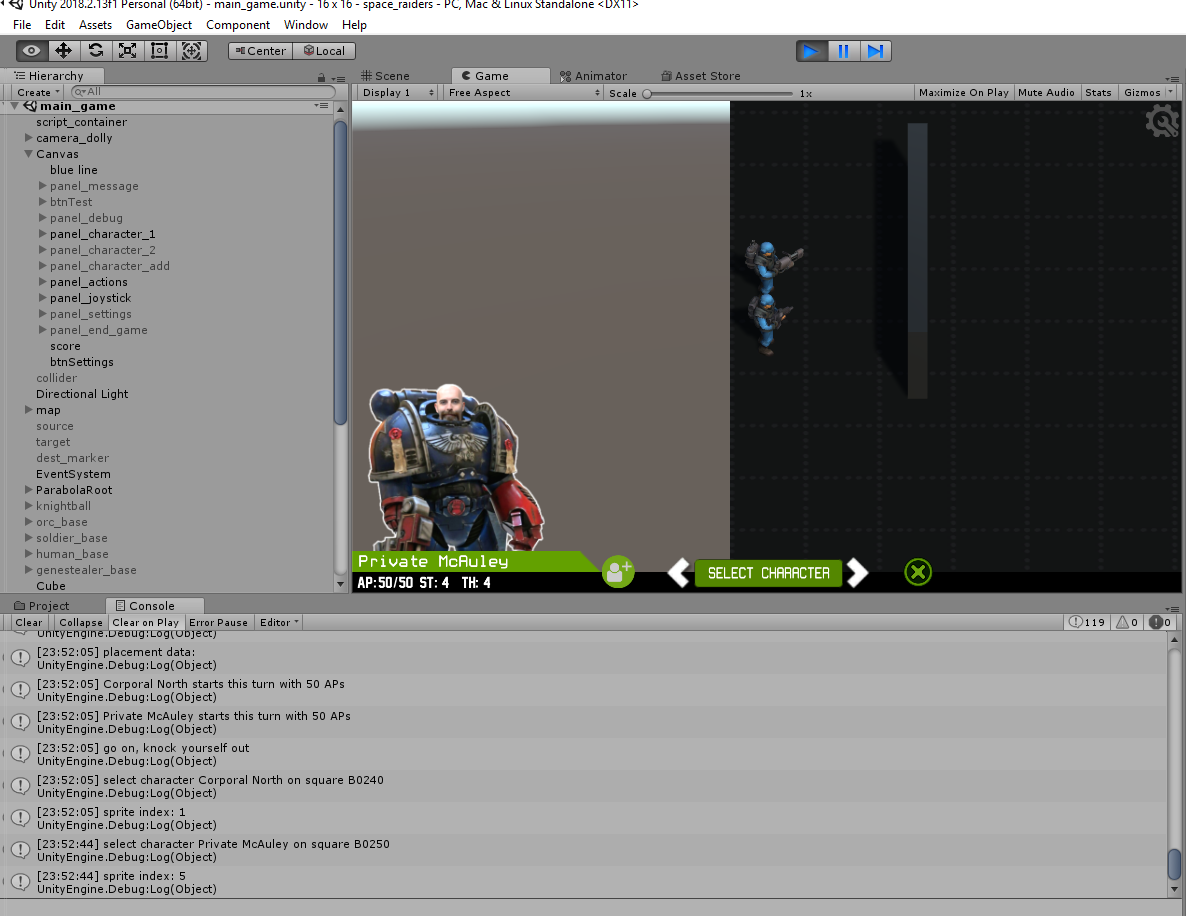 It's a 3D gaming platform. With 2D sprites!
And for those of us who used to love games like Head over Heels and Gunfright on the old ZX Spectrum, there’s even a “fake” 3D isometric view too!
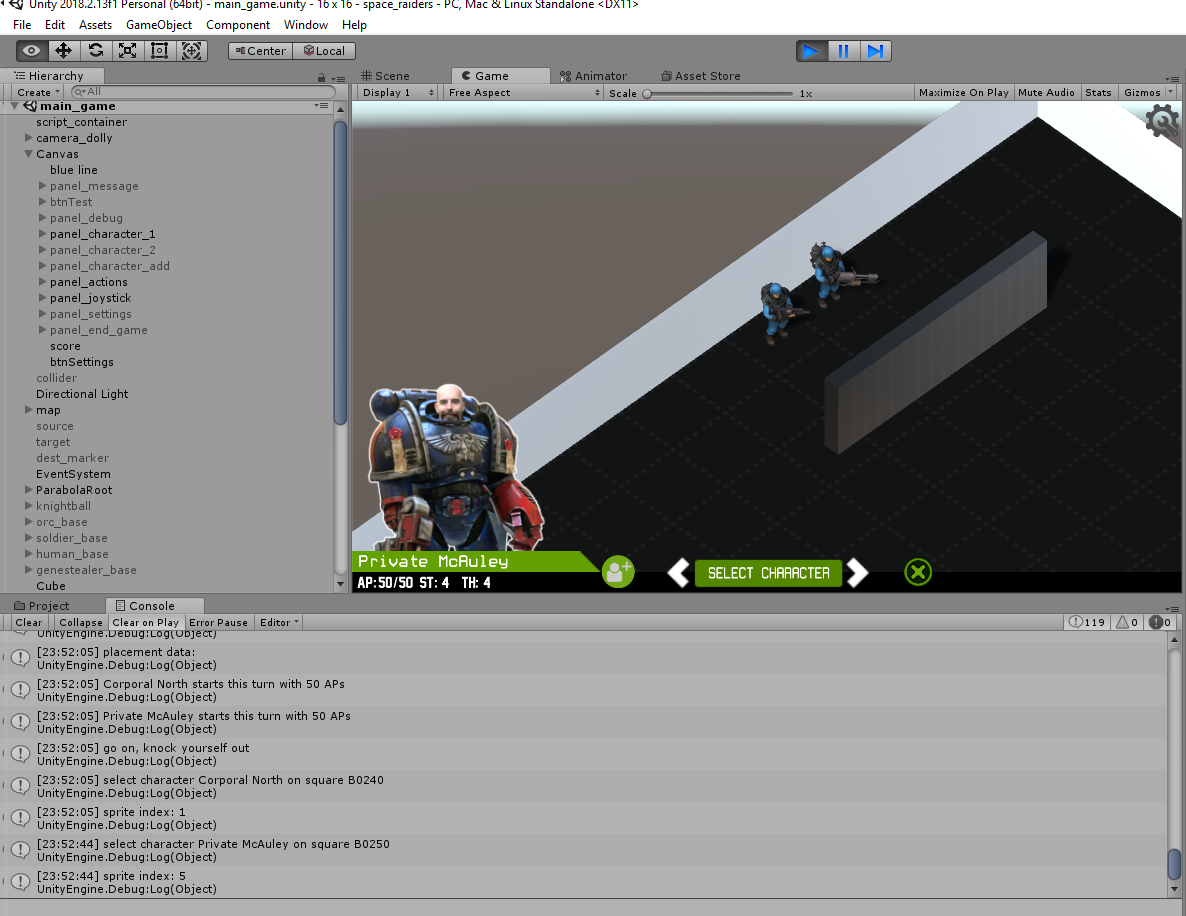
Hey, I know none of this actually improves the gameplay. But just right now, I need to claim a few simple victories, just to stay inspired 😉
That stupid looking block, right in front of the two main characters? Yeah, I spotted that too. It’s there for a reason. You see, unlike most tabletop games, because players can play this against each other remotely, there’s no need for them to see their opponents pieces, is there? So the big ugly brick wall is just an early test piece for line-of-sight and hidden movement….
Editable custom art
“Isn’t Sam a little… short to be a stormtrooper?” asked some wag on a recent blog post. I’m not sure. I’ve never met him. Maybe that’s why he always sits at the far side of the table during videos? Like the famous Father Ted caravan scene, he can simply claim “I’m not small, I’m just further away”….
Anyway, I think I fixed it.
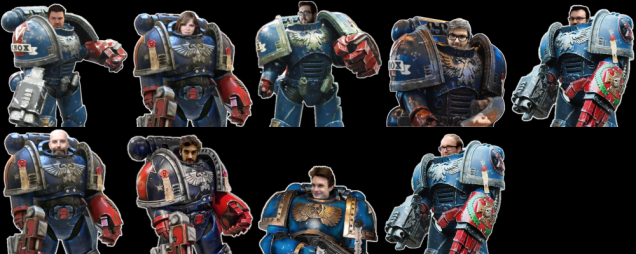
And then I thought “I don’t want to fix problems with imagery every time someone pipes up it should be different”. So I extracted the artwork from the app and made it an external resource. To those who don’t bother much about such things, the end experience is no different.
But to those who want to, they can now find the external .png (on their phone/smart device) and edit it, to include their own favourite characters.
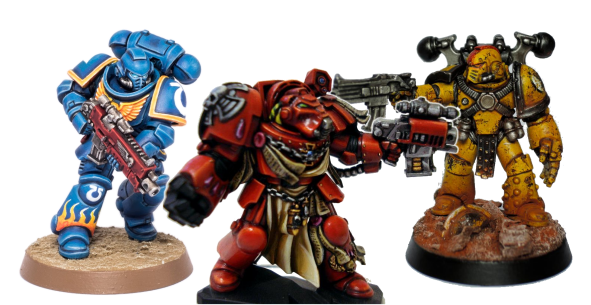
Suddenly it made sense!
I’ve painted my Space Marines as Ultramarines. No, not because I haven’t the imagination not to. And no, not because I had loads of blue left over from buying three copies of Warhammer:Conquest magazine a few weeks back for the freebie miniatures (actually, probably a bit of that). I just liked the blue marines.
But Space Hulk is usually played with Terminators (it’s a good few years since I actually played Space Hulk and I’m not sure where in the loft my old miniatures are any more). If I’m playing a two-player game over the intertubes, it’s quite possible that my opponent is using Blood Angel Terminators for their Space Marines and 2nd edition genestealers, while on my board, hundreds of miles away, I’ve got regular Smurfs and Tyranid proxies for my playing pieces.
By allowing both players to edit their own artwork, each can have the graphics in their app match the miniatures on their own tabletop!
Maybe in future there could even be some kind of online image editor for each character too. But that’ll have to wait. I’ve got (yet more) coding to finish off.
As my wife said, “I you think I’m going to sit here drybrushing your terrain because you’ve run out of time, messing about adding stuff that isn’t really important to your bloody game instead of just getting your head down and getting it finished, you’ve another think coming”.
She’s quite supportive like that.
First app testing
Constantly compiling code, transferring to a tablet, testing, debugging, correcting code, re-compiling, transferring back to the tablet and so on is a really tiresome development loop.
So I added a few UI elements to the app, so as a game it can be tested entirely from my laptop (without having to connect the custom hardware as a controller). I had to really consider how the game would play with the actual game board and miniature playing pieces, and tried to keep the app UI as close to this as possible.
For example, littering the screen with buttons would have been easy (and relatively quick to implement). But the app shouldn’t be the focus of the game – the miniatures, tabletop and terrain should. So where possible, having to touch the screen to perform tasks should be kept to a minimum.
That said, by creating a system whereby picking up and putting down of pieces on the game board can be simulated by clicking on the screen has accidentally made the whole game more playable. Because while one player diligently uses their miniatures to interact with the app, their opponent could play entirely onscreen, using the virtual controls.
No more waiting for them to get back to the hobby table to take their turn – they could continue playing, even on the bus ride home!
So what are we looking at in this video?
Well, it’s rough and it’s crude, but it’s functional. It shows two players being simulated – firstly selecting and placing their characters on the board, then moving them and showing how the app responds to things like line of sight and hidden movement.
At first, as the onscreen visual joystick flies around the board, we can see it’s completely empty (bar the big block representing a wall). On the screen, we click a button to change the character we want to introduce to the game. On the tabletop we simply place the miniature we’re going to use onto a dedicated square and each time we put them down, the character the miniature represents changes; when you’re happy with your selection, simply place them onto the board.
After team one has placed their miniatures, their turn is ended. The actions they have taken (characters selected, deployment locations placed etc) are uploaded to the web server.
When it’s team two’s turn, a quick fly around the board reveals nothing. That’s not to say that team one hasn’t deployed their pieces – but because they’re hidden behind a wall, team two can’t see them yet!
Team two uses the same technique to select their characters and places their miniatures on the board. The subtle difference here is that team two is allowed to select multiple instances of the characters on their team (it wouldn’t be much of a game if we could only have one genestealer on the board at a time!)
One of the key features of Space Hulk was “field of view” which I’ve tried to recreate here. Every character has a field of view of 180 degrees (so can only see things in front of them). In fact, each character could have a different field-of-vision if required (so characters with big, bulky armour could have their FOW reduced to 140 degrees, keen-eyed, fast-moving characters might have a full 360 degree field of vision etc).
This means that the facing of a character is important. To activate the “action menu” for any character, simply pick them up and put them back down in the same square – doing this cycles through the action options (and is simulated in the game by selecting a character, then clicking on the square they are standing in).
With the active character selected, and the action “face target” selection, selecting any other square on the board will cause the character to rotate and face the chosen target.
After team two has placed their characters, we upload their turn, flip back to team one and run the app again. The eagle-eyed among you might notice a slight delay between the app running and the turn starting; this is because before you get to play your turn, your opponents previous turn is played out by the computer.
At the start of team one’s second turn, a quick fly around the board shows us that there are no enemies visible. Once again, it’s not that they’re not there – just that we can’t see them (since some nitwit thought it would be a good idea to deploy our characters behind a big wall).
I doesn’t take long, though, for the baddies to reveal themselves… (genestealers are always the baddies, right?). As soon as out intrepid Space Marine rounds the corner of the wall, the first genestealer comes into view and the app waits for us to place the appropriate miniature on the board.
Another step forward and the other enemies become visible, prompting the player to halt the game and place the other miniatures on the board.
This method of interrupting a players turn allows us to implement line-of-sight and true hidden movement. No more chits or blips, or planning your strategy based on knowing where your opponent is (or is likely to appear). If you can’t see them, they ain’t there!
App testing turn two
Now we’re getting into the meat-and-bones (as my old man used to say) of the project. And something that has given me sleepless nights for days (actually, more like had me gazing into the middle distance during Corrie, trying to work out how it should all work, leading the wife to ask “are you sure you’re alright, love?”)
It’s all well and good creating a two-player game from the perspective of a traditional “video game” developer – but in this instance, things are not necessarily happening in real-time.
While I’m taking my turn, you might be having your pie and chips in front of the telly. It’s only once my turn is complete will you get to know about it. And when it comes to your turn, before you can move a piece, you need to update your board – remember we’re playing remotely, on two separate boards, possibly hundreds of miles apart – so everything ends up as it was at the end of my turn (not how you left your board, at the end of your last turn).
So it’s quite possible that two players “go out of sync” with each other, and we need a system of getting everything up-to-date before each turn is played out.
So here I am, playing turn two of the genestealers.
But before I can move my pieces, I need to get your guys into position (after all, you could have played out your turn while I wasn’t actually watching). Space Hulk is a turn-based strategy game after all….
Also, if your guys do anything important, it’d be nice for me to see it. So if you were to open fire with a flamer and wipe out three of my genestealers, I’d quite like to know why I’m being asked to take them off the board before my turn commences.
Which is why, before either side takes their turn, there’s a delay, as the computer brings everything up-to-date – important actions can be seen on the screen, everything is explained (without a big, long-winded explanation) and the game continues from the point it left off at the end of each turn.
You can see the turn being played out from the previous video (when that video ended recording, I also moved by second Space Marine – any movement performed out of sight of the genestealer player happens automatically; as soon as the character comes into view, however, I’m prompted to pick up and put down the miniatures in the appropriate squares on the board).
In the video, a “pick up” request is indicated by the red arrows (as they point outwards/upwards from the piece on the board) and a “put down” request is indicated by the green arrows. I’m simulating these messages from the hardware by clicking on the screen but when connected to the interactive game board, these messages will be set automatically as you pick up/put down the miniatures on the board.
There are still a few little wrinkles to iron out. But so-far, the game playback system (you can replay a game right from the very start, or simply from the last place you left off) is working really well.
It also means that as well as real-time, online option (which is still possible, even with this system in place) there’s also the possibility of a true turn-based, almost play-by-email option.
And who doesn’t love playing games via email, eh?
What keeps *YOU* awake at night?

For some it’s things like this. Horrible, scary, angry aliens, with big claws and acid for drool. For some of us, it’s more mundane things. Like – what the hell is going on here….
There’s a weird bug and it’s stuff like this that takes aaaaggges to track down and fix. On the face of it, everything is working well. Although I’m playing as the alien team, I’ve loaded up the last turn played and asked the computer to play it through.
As expected, I’m prompted to pick up and then put down each of the first two characters in turn – exactly replicating the movements I made when the turn was recorded.
Then something funny goes on with the last “genestealer” character. He’s decided he’s not going to hang around and wait for me to pick up and put down the miniatures, he’s off on his own.
Until the very last move. Then the app wants me to put the miniature down in its final resting place. But not on any of the squares inbetween. Yet the first two characters worked just fine.
THIS is the kind of nonsense that keeps me awake at night!
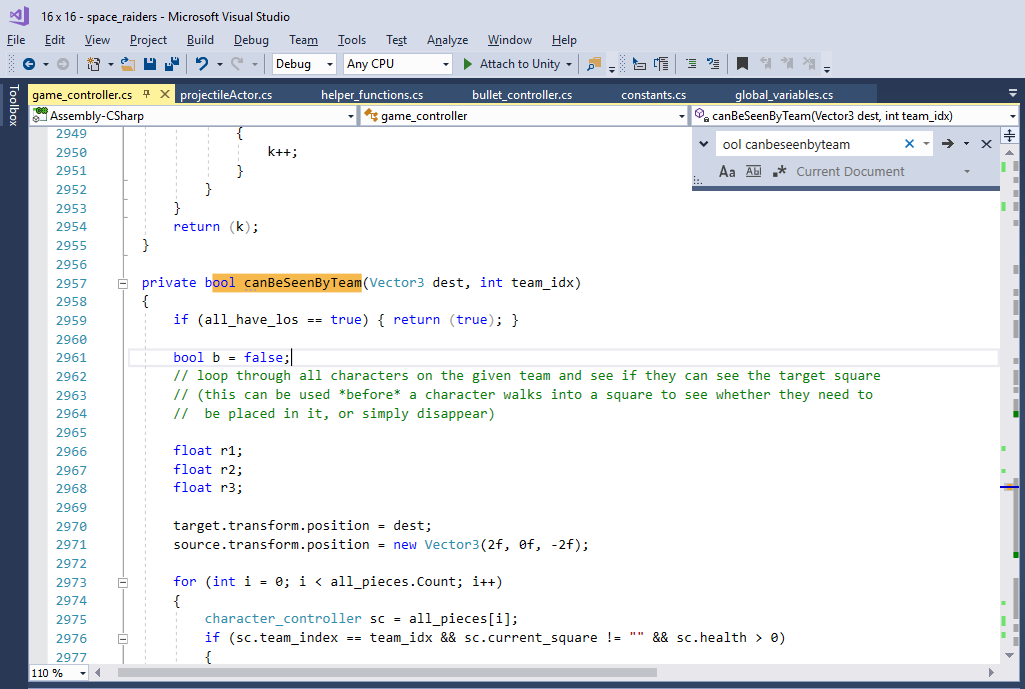
I built a sort-of scripting language for replaying turns and whenever one move (into a new square) or one action is complete, I call a function to say “are there any other moves left to do?”
This obviously works, because the third character happily carries them out without prompting. As characters are moved across the board, they constantly check “can anyone see me?”. If a piece is to be moved (or an action, such as firing) is to be carried out by a character that cannot be seen, the computer makes the on-screen avatar invisible and carries out the instruction with no intervention (it doesn’t hang around waiting for you to pick up or put down miniatures on the board, it’s basically “hidden movement”).
As any programmer/engineer will tell you, it’s the intermittent problems that are the worst. I wrote a function into which I pass a destination and a team number and ask it to return true or false to the question “can any of my team see this square?”
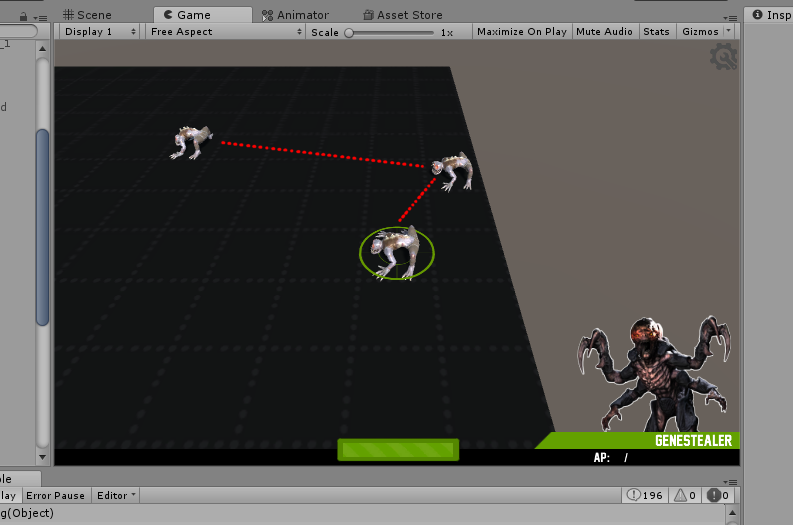
It turns out that when the first two genestealers get up and go, the question “can team 2 see the character moving?” is true, because of the third character who remains behind on the starting square.
The problem is, when it’s the last character’s turn to move, nobody else on that team can actually see the moving character (since they’re facing the other way and I’ve already built the field-of-vision system that stops them seeing outside of a 180 degree arc!).
So even through the character is plainly visible on the screen, the computer thinks “well, if nobody can see this guy moving around, why wait for the player to pick up and put down their miniatures, just keep going until he appears in the line-of-sight of another character on team two…..”
Of course, what the function should return is “if you’re player two and the character moving is on team two, you should always be able to see it” – not only would this fix the bug, it’d also mean avoiding having to do lots of (cpu) costly raytracing and line-of-sight calculations.
And that’s the kind of dumb logic puzzle this game has descended into. I’m less fighting against the computer and more against my own facepalm stupidity!




![Zenit Miniatures’ Samurai Warlords Now Live On Kickstarter [Updated]](https://images.beastsofwar.com/2026/02/samurai-warlords-launch-main-600-338.jpg)