




































Interactive tabletop playing surface (Space Hulk Hobby Challenge)




Recommendations: 404
About the Project
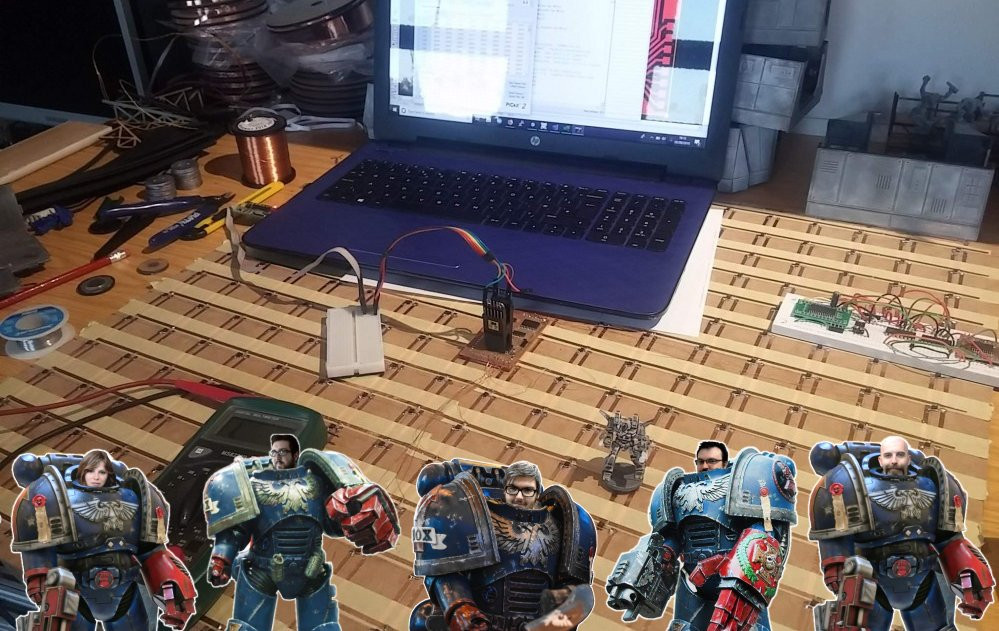
Originally an idea for a two-player digital Blood Bowl game, I am creating a generic interactive playing surface - allowing players to hook up their tabletop miniature games to a tablet or smartphone. This would enable players to compete against a simple AI-based opponent. Excitingly - and inkeeping with the new Space Hulk video game, allowing players to play as either Space Marines or Genestealers - it would also allow two players to compete against each other, over the internet. Work on the underlying technology has been a hobby project for a while. The latest version allows anyone to use the system with their existing miniatures, using nothing more than a simple disc magnet. This competition encouraged me to get my finger out and actually complete the hardware and make a workable, two-player game, to demonstrate the potential of such a playing surface.
Related Game: Space Hulk
Related Company: Games Workshop
Related Genre: Science Fiction
This Project is Completed
Line-of-sight testing
Line-of-sight is a crucial part of the game/app.
It allows us to have true hidden movement, and does away with the clumsy “blip” tokens which are often used either by the alien player as decoys or by the Space Marine player to avoid areas of a ship during their movement.
With hidden movement, if you can’t see an enemy character, they don’t appear on the board! So we can really add to the atmosphere of the game by implementing “proper” ambush moves, hiding around corners, behind doors and so on…
Here’s a simple line-of-sight test; it’s just one turn, but repeated from “both sides of the board”. To begin with, it’s team one (Space Marines) who have a free choice of movement….
The marine player takes a shot at a genestealer with their first character, then runs away to hide behind the wall. The second player takes a shot and also runs behind the wall. They did a bit of messing about, back and forth, just to demonstrate that they are carrying out other moves, albeit out of sight of the alien player.
We then change the game to the alien players point of view, and replay the turn just completed by the marines player.
As expected, it prompts us to put down the character who is taking a shot (it does this so that when you’re playing on the tabletop with actual real miniatures, it’s clear just who is doing the shooting, without all your focus having to be on the video game playback).
The player is then prompted to pick up the miniature and put it down in the appropriate place. This repeats a few times. Then something funny happens…. the marine player “disappears”.
Of course, they’re not gone from the game – just removed from the alien player’s line-of-sight. So any additional movements are carried out in secret.
This is more easily understood when the second marine moves. During his movement, the marine not only shot at the genestealer, but then ran off behind the wall, and continued to run about in circles, hidden from view. When this is played back from the alien player’s point of view we only actually see the movement up to the point where the character disappears behind the wall.
All the other movement is still played out – just out of sight of the alien player.
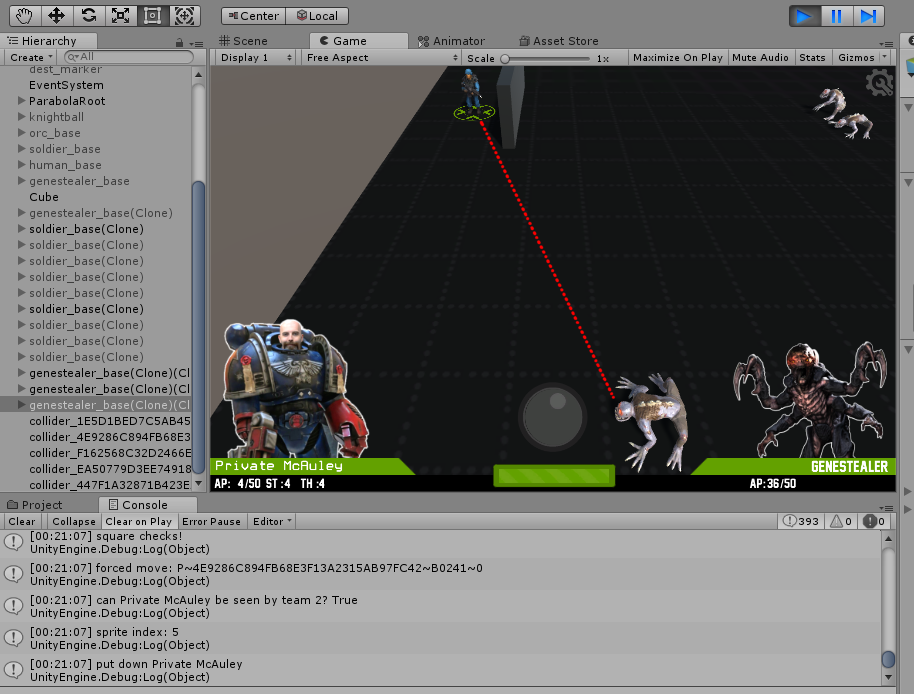
When the marine player’s turn ends and the alien player moves their piece(s), the marines remain entirely hidden from view – right up until one of the genestealers can see past the end of the wall.
At this point the app prompts the player to put a miniature down on the appropriate square. When the genestealer steps forward, they are able to see more of the board behind the wall – so the app prompts the player to place the second marine on the board.
Apart from a few glitches with the camera during playback, the line-of-sight routines appear to be working quite well.
So it’s more than likely that I’ll have broken them again by this time tomorrow night, and will yet another thumping headache and yet more hair pulled from my scalp in frustration.
But for tonight, I’m calling it a win!
More coding woes
Not even really “coding woes”. More like compiling and getting the sodding thing running across a variety of devices.
Unity is a multi-platform development environment – allowing you to use the same codebase for PC, Linux, Mac, iOS, Android… even XBox and PSP! But with such versatility comes great complexity.
And I’ve just spend nearly a day and a half just getting the thing to compile for Android – all thanks to automatic updates to the IDE and Google’s recent requirement that all apps to be submitted to the store must target API 26 (Oreo) or above.
I’m not really sure what this means. My own device is running Marshmallow and my Chui H12 tablet running the next OS up (whatever that is, in Android-land). Just a few weeks ago, I’d successfully dropped a new app onto my phone, but that was before Google updated their terms and conditions.
Plus, it turns out there’s a bug in the latest Android Studio for API 26.0.0 – they’ve forgotten to include the apksigner .jar files so you have to manually copy older versions over from existing dev environments.
Not exactly difficult to do – but it’s taken three hours just to find the reason Unity compiles with a “success” message, but nothing appears on the phone!
Feeling the pressure as deadline looms....
It was always going to be a close call – and it’s looking likely that we’re not going to be 100% complete by the end of the week – but there’s a chance we’ll at least have something functional (and able to demonstrate with a cool video, that I’ve been promising for weeks now…)
Anyway, coding is (thankfully) nearing an end, and it’s been really exciting to see miniatures moving about on the tabletop, interacting with the digital avatars, onscreen. It’s still a bit clunky, so not quite ready to post a video yet (I really do hope it’s going to be worth the wait – I’ve give it quite a build up over the last week or so!)
But, of course, it’s not all about writing code.
This was a hobby challenge – and that means painting miniatures. I’ve had some “regular” space marines hanging around in the loft for a few years and, while everyone gets all excited about the new Primaris Marines (me included) I thought I’d take the chance to finish off some guys that have been on the back boiler for a while
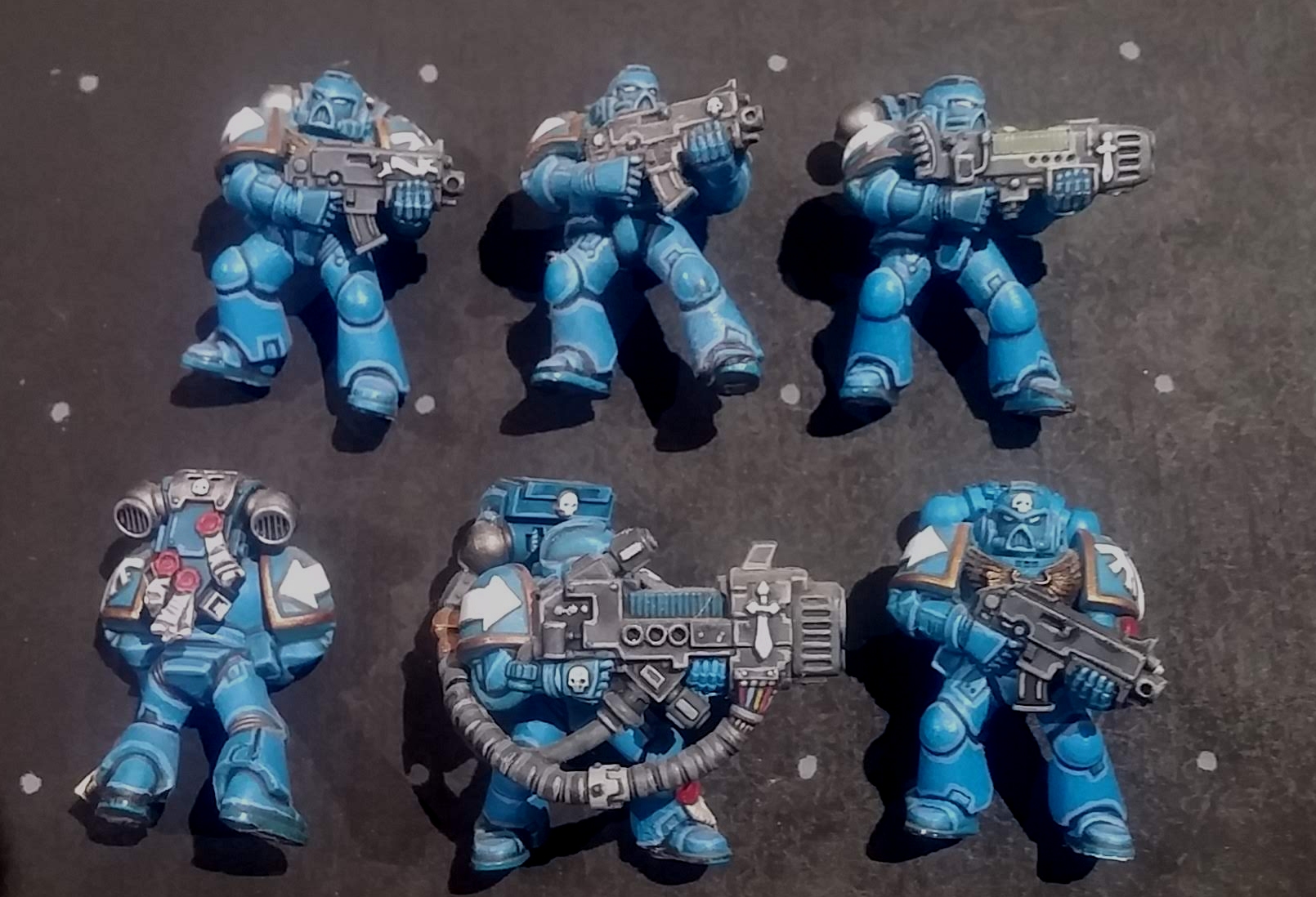
It was my first real attempt at edge highlighting and putting a little more effort in than just blobbing two or three different colours on; I started with a really bright blue base coat, whacked on some white then slathered the whole lot with Army Painter Strong Tone.
Then I re-painted over most of the large panels, before hitting the edges with a nice bright blue to make them “pop”; sure, they’re not quite as grimdark as “real” marines, and look more like they’ve fallen out of the pages of a comic book, but they’re do for me….
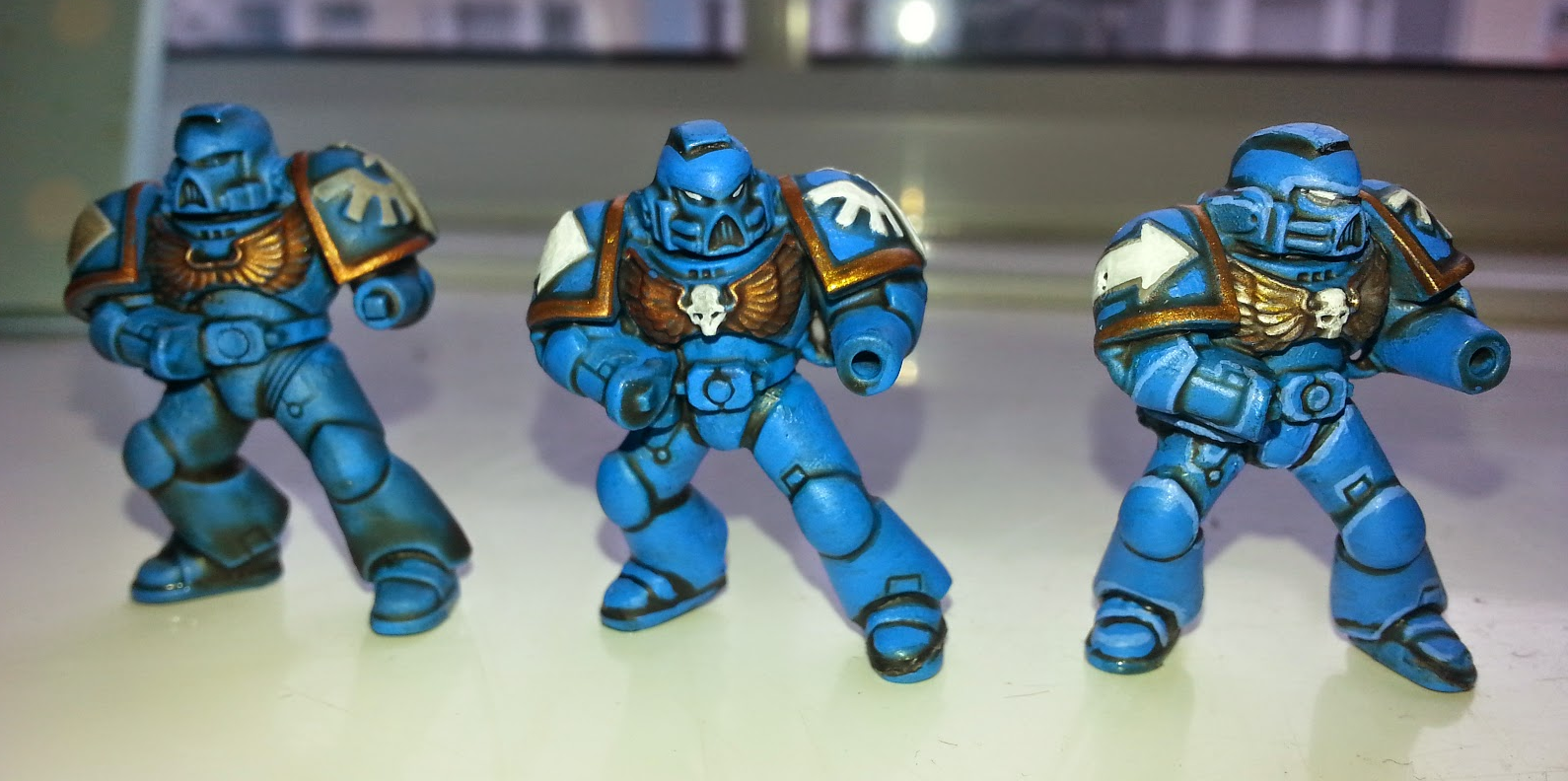
One day I hope to spend a little more time learning how to paint dingy, realistic looking models. But to get finished in time for the end of this week, bright, clean, cartoon lines are going to have to suffice!
On a completely unrelated note, while testing out my miniatures on the electronic/interactive playing surface, I had a few problems placing the minis in exactly the right place, to trigger the sensor(s).
It’s important that there are “dead spots” on the board – areas where the magnets don’t trigger a sensor – so that as you move the piece across the tabletop, there are definite “no piece present” events; if the sensors were too close together (or the magnets too strong) it’s possible that one sensor might trigger before the previous one had “released”.
As a result, I figured it wouldn’t hurt to paint a simple grid onto the surface of the board.
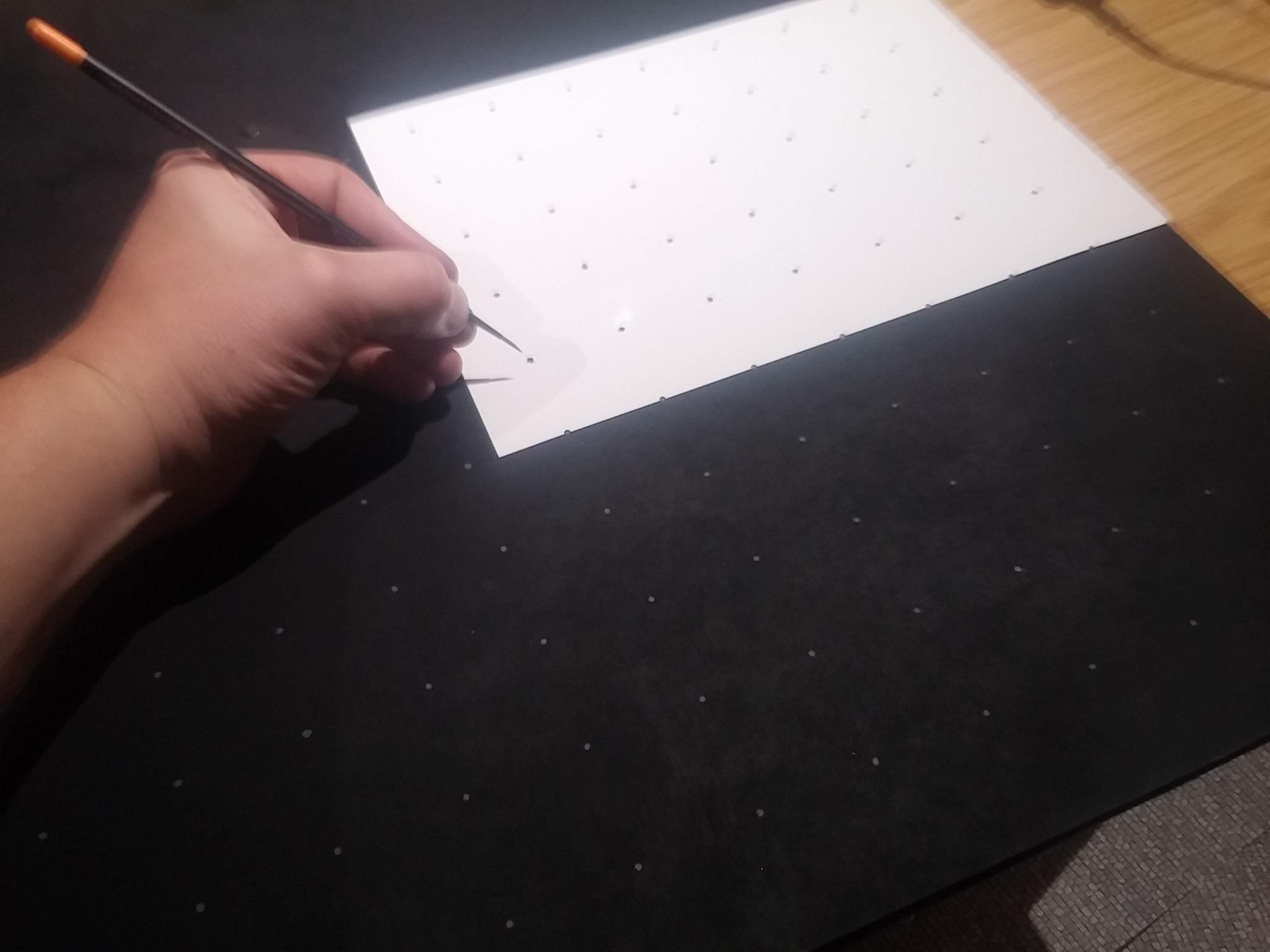
A simple laser cut template and some grey acrylic did just the job. I don’t care what Warhammer Duncan says, there was no way I was going to thin my paints and paint this with “two thin coats”. Dab, dab, blob blob, and we’re done.
Web based character interface
One of the great things about Space Hulk (or pretty much any small-scale tabletop skirmish game, that requires you to create individual characters) is customising the skills and weapons that your characters use in the game.
As the end-of-November deadline looms, I’m having to cut out all the “niceties” and focus on just the practical functionality of the game.
But that doesn’t mean compromise; I’ve already spent too much time creating onscreen avatars that can be customised, with different appearance, armour and – most importantly – weapons (sure, all but a couple only fire what look like ping-pong balls at the minute, but being able to put a specific character with a specific weapon in a specific place on the board – well, that’s what the game’s all about, surely?)
So here’s a simple online editor, where we can rename our characters, assign imagery for them (to display when their miniature is being moved on the tabletop) and select the weapons they use.
Until I’ve fully tested and debugged the app, I’ve deviated slightly from the rules of Space Hulk; I’m using a simple action points system, where every action takes a set number of APs to perform – this is actually the easiest way to make sure that everything is working as it should.
Once I’ve got the movement, line-of-sight and in-game scenery in place, I can replace this arbitary system of assigning numbers to thngs with rules that more closely resemble the actual game of Space Hulk.
Not much to do, then, before Friday……
First hardware test...
Strictly speaking not the first but the first one that wasn’t clunky and didn’t crash my tablet or throw a screenful of errors, so I’m calling it the first successful test.
So what are we seeing?
In a poorly shot video, with no audio, with terrible lighting and a tablet screen that is not only too bright, but reflects everything in front of it, at least you should get some idea of how it will (eventually) work.
We place our miniatures into a square in the bottom-left of the playing surface (offscreen in the video) to select which of our intrepid heroes will take to the board. Once the appropriate character appears on the screen, we then place them on the playing surface and their digital avatar appears on the screen.
Note how the on-screen avatar changes the direction they face, as the character moves; this is important – they always face the direction of travel. If you want to change the direction they are facing at the end of their move, you need to specifically change their facing.
You can select from all available actions for each character by simply picking them up and placing them back down in the same square. So after our first character, Sergeant Johnston is moved around a little bit, the only action(s) available is to turn around. In the video we can see that the action “rotate” has been selected and when we place the second character on the board, “Sarge” turns to face them.
The second character, Corporal North has two actions available (since not moving so much, has more action points to spend on different actions)
At the minute my digital game doesn’t follow the rules of Space Hulk so closely, with command points and so on, but will be amended once the core functionality has been built and tested.
As well as the turn to face action, “Corp” also has the fire at target action available. I really wanted to keep this for another video, but was so pleased with how this has all worked out, I couldn’t resist showing it off….
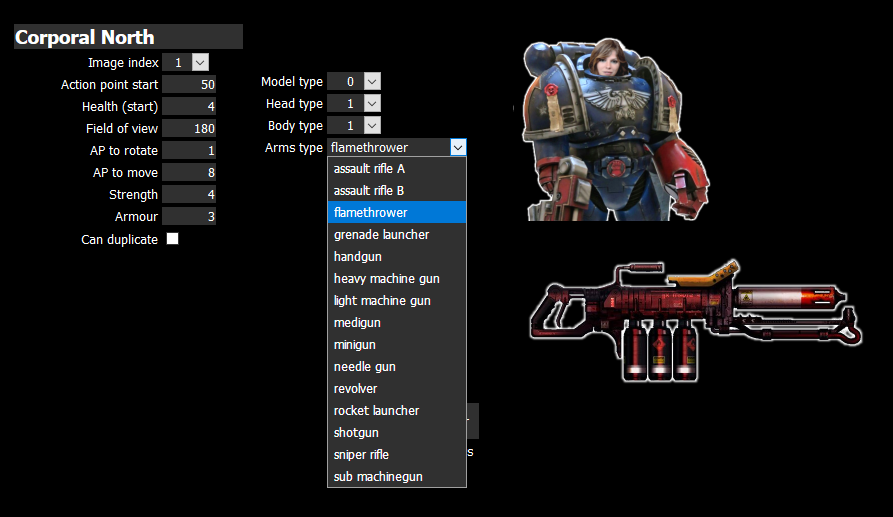
Remember in the earlier video, when demonstrating firing from one character at another, the placeholder graphic was just a white sphere (which made it look like all weapons were loaded with ping-pong balls)? And remember in another video, showing the online/web editor, we gave Corp. North a flamethrower?
Did you notice how the digital avatars onscreen are slightly different? How one is carrying an assault rifle, and another a dirty big flamer gun? Just like their online character profiles?
Check out what happens when a flamethrower is fired…. we’re not talking puny little ping-pong balls in place of lasers any more! Woof! Take that….
At the moment, all characters can suffer from the effects of friendly fire. I’m not quite sure what the rules for Space Hulk say, but I quite like it. I might keep it in.
In the meantime, I’ve got an entire spaceship to put these little digital dudes in. And only about three days to do it…..
Turning Hurst Arts digital
If you search the Google Sketchup Warehouse for “Hirst Arts 302” you’ll find some kind soul has recreated the core Hirst Arts sci-fi range as a series of 3d models.
With a bit of jiggery-pokery, I managed to get these models into Blender. Then, after a crash course in how to use Blender (and £9.99 on the Udemy store for some video lessons) I discovered UV-unwrapping; after applying a few textures and copious amounts of copy-paste, I managed to recreate one of my own Space Hulk sections in Blender!
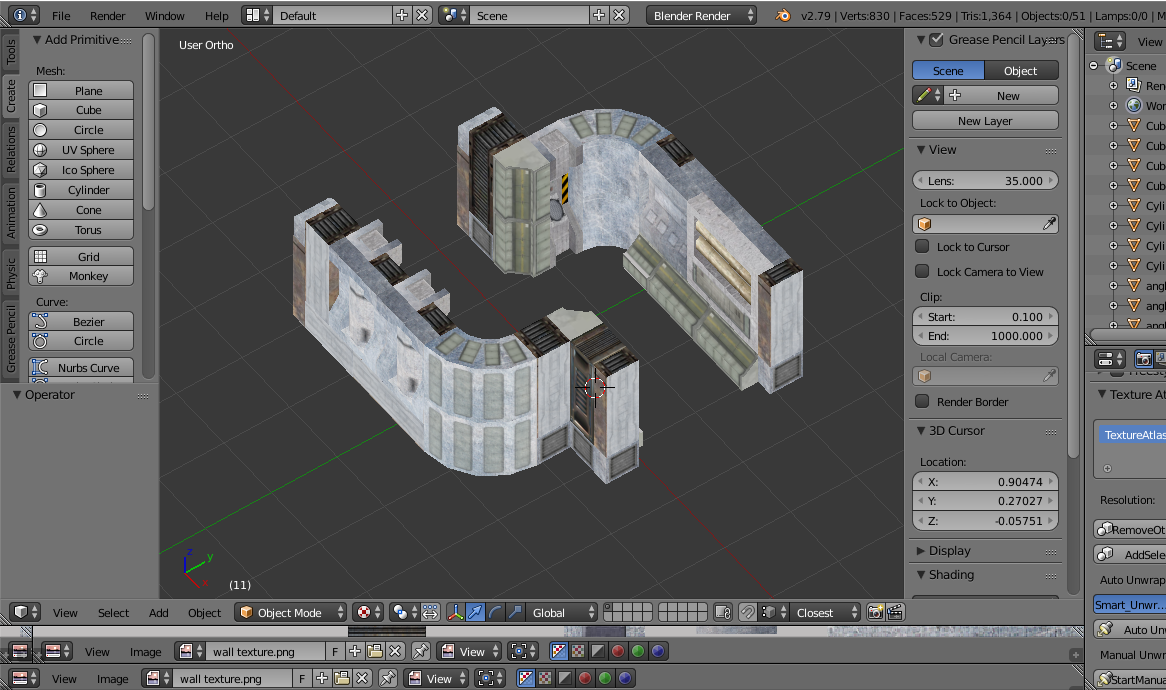
Unfortunately, my material texturing skill as about as poor as my Blender modelling skills and – although the result was quite pleasing, in that I could say “look what I made” – the end result was pretty underwhelming. What’s more, when I imported the model into Unity, it just looked weird and poorly made (which, let’s be honest, it is!)
So recreating digital versions of my Hirst Arts terrain is out (at least if I’m going to get anywhere near the deadline for the Space Hulk Challenge). Luckily, I had accesst to a top-down sci-fi environment I’d bought from the Asset Store a few years ago, when I first started playing about with Unity.
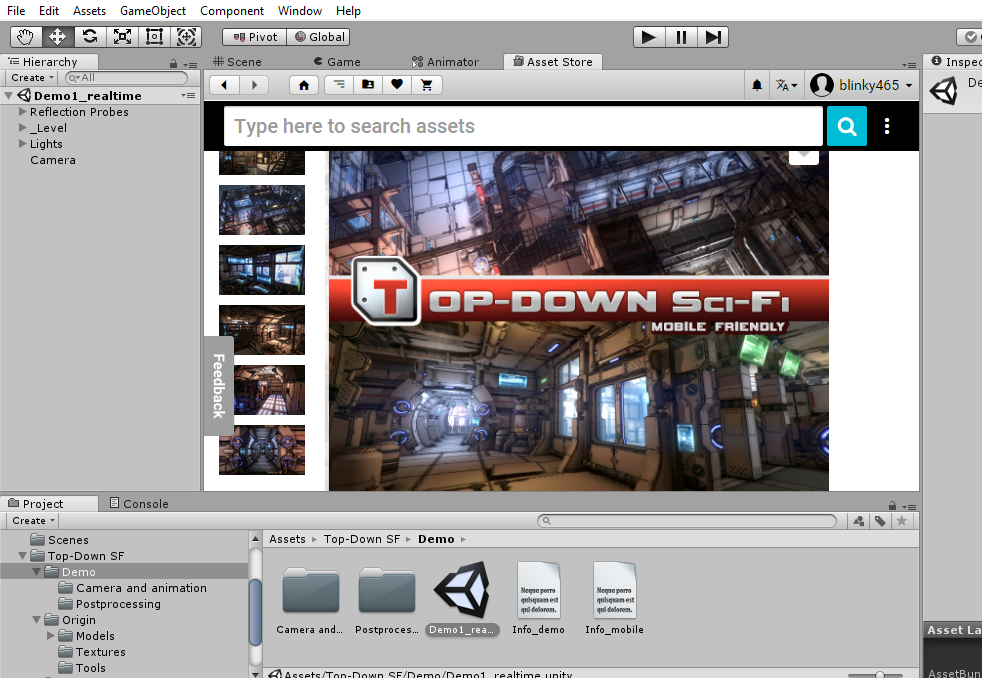
It looks great, has some amazing lighting and is made also entirely from “prefab” objects – doors and walls and floors that I can simply drag and drop into my own project to create rooms and corridors.
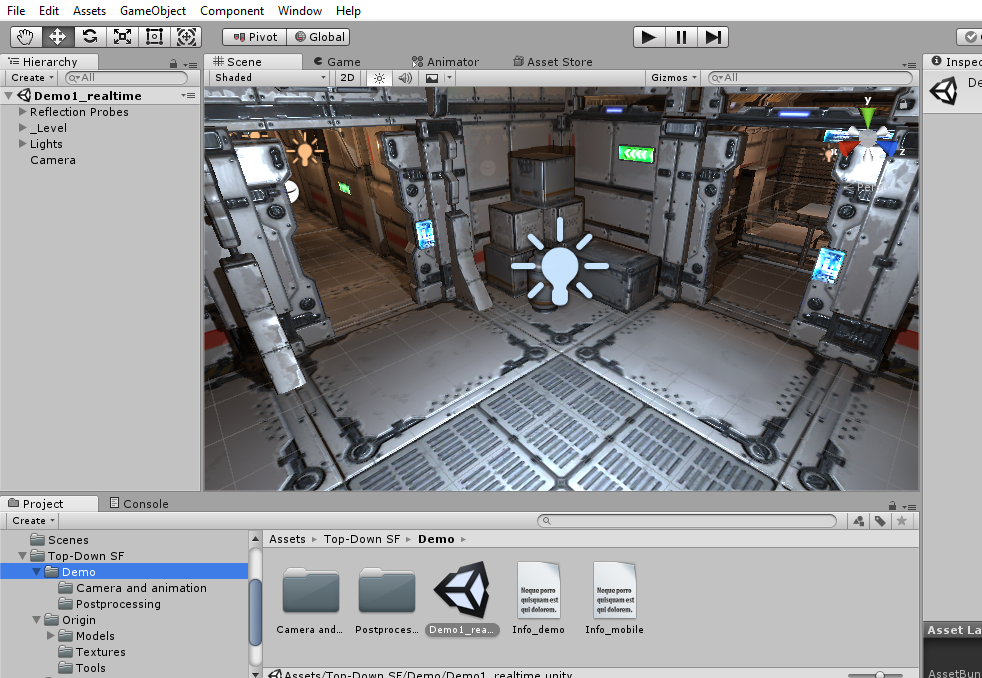
Now it’s not an easy job by any stretch, recreating an entire spaceship, even from prefab models, in Unity. But I figured I could give myself a day or so, to give it a go. So while I’m not going to get an exact facsimile of my tabletop game on the screen (much like the onscreen avatars don’t actually look like the miniatures on the board) hopefully the end result will be “close enough”.
At least close enough that each section is recognisable.
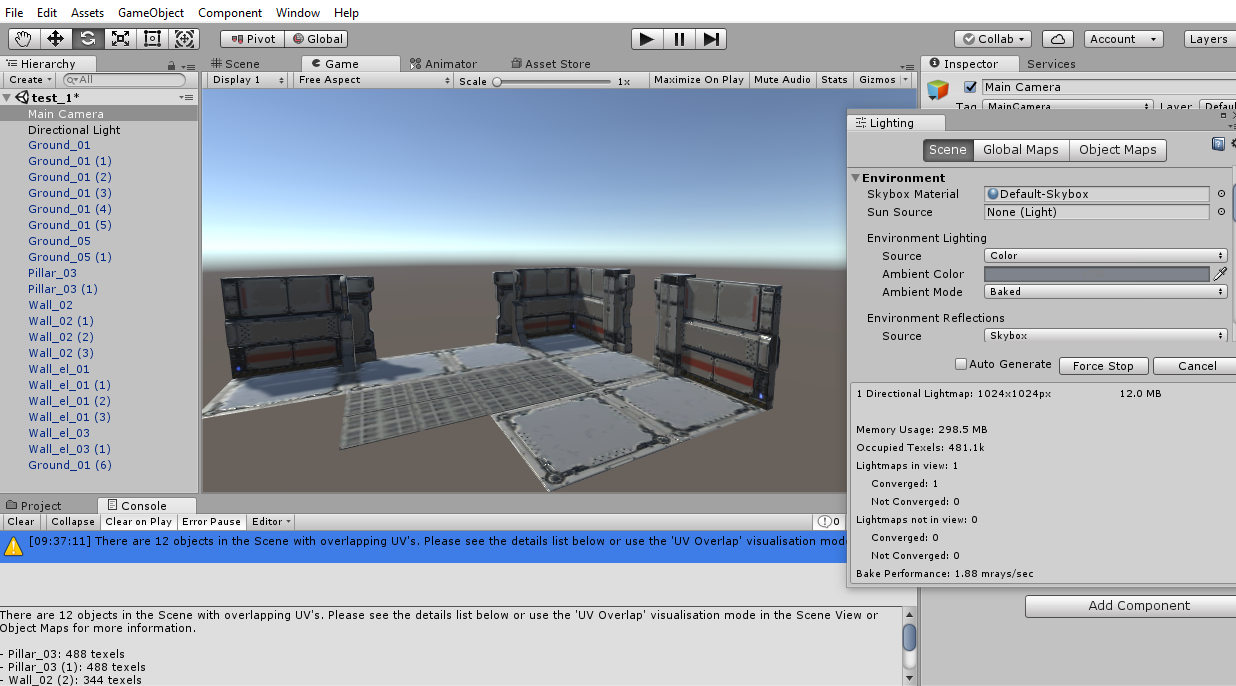
I’ve booked the day off work, I’ve got the coffee machine on permanent standby and about a dozen or so terrain pieces to turn into miniature digital works of art. Let’s see how we get on……..
More terrain building
Well, we’re hitting crunch time and having to cut some corners focus on the essentials for delivery. Originally I had grand ideas of using a 3d printed floorplan, or – at the very least – some diamond-tread plasticard for the floor tiles (http://www.greenstuffworld.com/en/textured-sheets/129-abs-plasticard-diamond-textured-sheet-double-thread-a4.html)
But with deadline day looming and a whole load of items still “stuck in the post” it’s time to focus on just getting things done. One of these such jobs was putting the floor tiles down on my Hirst Arts cast rooms/corridors.
Having a laser cutter is such a bonus – not just for the day job, but to be able to turn an idea into a reality in less than an hour. So some quick sketching in Inkscape and 20 minutes later, I had a bunch of 38mm square tiles, all cut from black artboard (at least one step saved, in that I don’t need to prime them all black to begin with!)
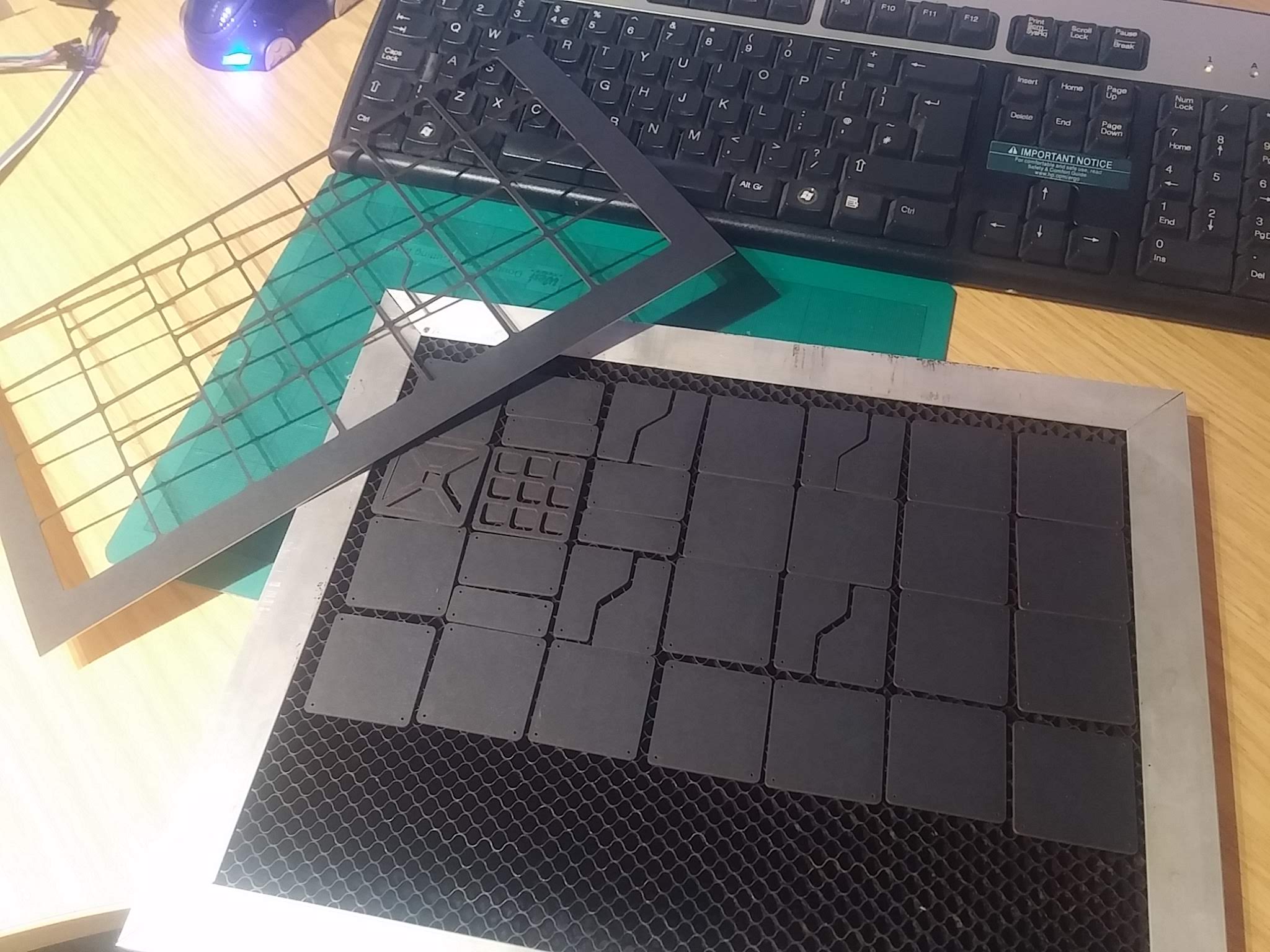
Having used a really simple colour scheme on the walls (cream drybrushed over black) I didn’t want to go too detailed on the floor, but having some kind of texture would be nice.
An acceptable compromise was to drybrush the black card with a really old, nasty, super-stiff-bristled brush and some shining silver acrylic.

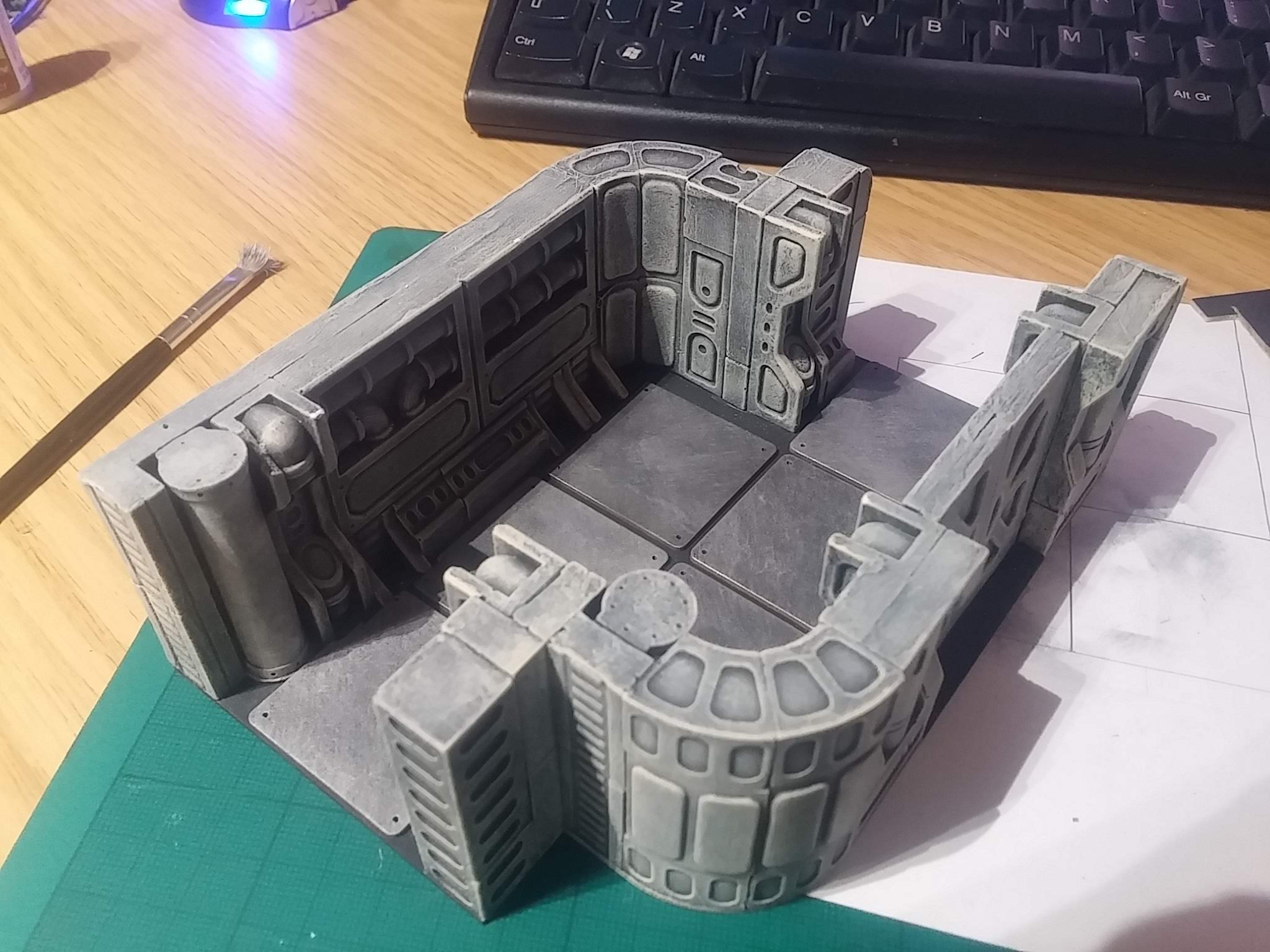
As well as adding a dash of colour (which, combined with the dull cream of the walls, I’m still not 100% certain of) the nasty cheap brush also created plenty of texture – brushmarks looked like scrapes and scratches on an otherwise bare metal surface.

Some of the tiles needed a little trimming to get them to fit around the pipes and other details on the Hirst Arts detailing. But all in all, not a bad job for an hour-or-so of work. Now just the other eleven terrain pieces to go….
Matching terrain to 3D models
Ok, it’s not a perfect match. But hopefully you can see how I’ve slowly managed to replicate the room layouts from the tabletop terrain in the app. The middle section of the (digital) map may not look much like the Hirst Arts moulded terrain, but it does follow the same layout (a 3×2 offset corridor).
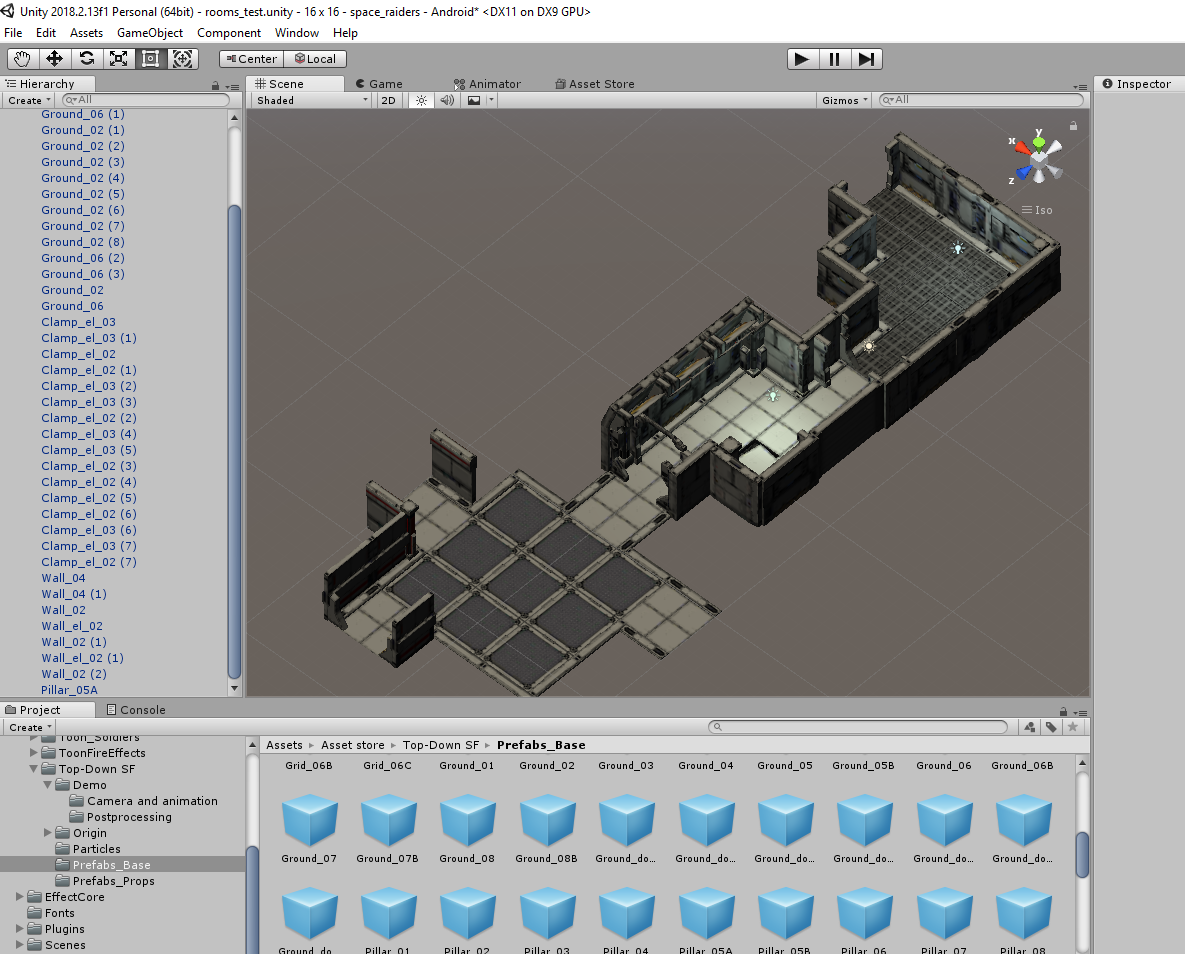
I honestly thought that throwing together a few pre-made 3D models would be quicker than this! But making sure that every floor tile and every doorway lines up, when multiole room “sections” are placed together – that takes a lot of time and precision!

Still, there are a few hours yet to go this evening, maybe I might just get a map finished before the end of the night….