



























![Make Your Own Star Wars: Legion Heroes! Rebel Agent & Officer Set Review [7 Days Early Access]](https://images.beastsofwar.com/2025/12/unboxing-atomic-mass-games-star-wars-legion-rebel-alliance-agent-_-officer-coverimage-225-127.jpg)










Head over Heels – Dungeonalia entry




Recommendations: 261
About the Project
A while ago I suggested that since my remake of Laser Squad had stalled, and having seen the excelled Crooked Staff modular room-based gaming terrain, I might attempt a remake of a room-based dungeon crawler, like the 80s video game Head over Heels. Then someone else said making ZX Spectrum games into tabletop games was an awesome idea and suggested Ghosts n' Goblins, and things got a bit sidetracked for a while. Then Dungeonalia popped up and I wasn't going to bother. But the given the first level of Head over Heels is literally set in a dungeon, I figured it was too goo an opportunity to miss. So as part of the Dungeonalia campaign, I'm having a go at making a tabletop game - a modular, room-based dungeon-crawler, loosely based on the classic Head over Heels. This will include game rules, modular terrain, characters and gaming cards. Fingers crossed.....
Related Genre: Humour
Related Contest: Dungeonalia 2023
This Project is Active
Who mentioned Wallace and Grommitt?
I’ve always loved technology. As an eager 8-year-old, bashing out BASIC on an old Vic-20 while I begged my mum and dad to get me a ZX Spectrum, and as a cough-something-something-year-old middle-aged grumposaur, I still love technology.
I love making tiny little electronic things and I love 3d printing. No more plastic moulded minis for me – if I can’t print it, I’m not interested any more!
Or so I thought.
Then I tried printing tiles for a board game (it actually wasn’t this one, it was an early Space Hulk rip-off). And FDM printed tiles are ok – but printed layer lines really do ruin the effect of terrain for me.
And resin-printed tiles (unless you’re prepared to dump a lot of resin into them) warp all too easily. I’ve no end of slightly-curled-at-the-edges tiles that for three or four months looked great. but now look like they’re made from melba toast.
So I wanted some tiles for my Dungeonalia project.
I didn’t have the patience to make lots of individual tiles myself (there are five or six themed “worlds” – that’s a lot of tiles!) but had to recognise that 3d printing them wasn’t going to work. What to do….?
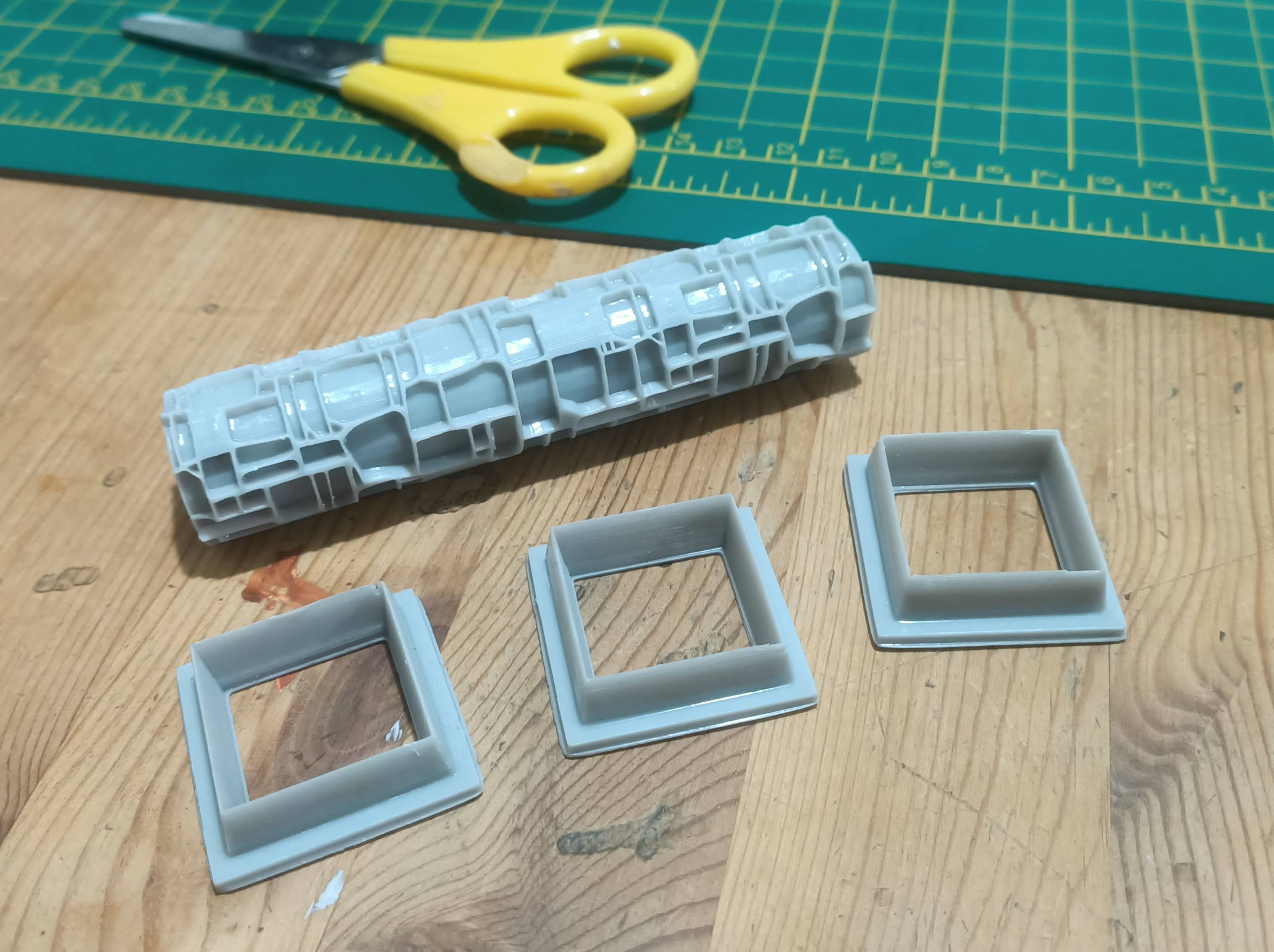
I’ve been a supporter of a few creators on Patreon for a while, and a few of them offer “texture rollers” which have always looked interesting. But I tried a Green Stuff World roller once with some greenstuff and it got stuck in all the grooves and ruined it. So I bought another. And tried it with some DAS air-drying clay. And the tiles shrunk and cracked and looked dreadful.
So I decided that texture rollers weren’t for me.
But then one weekend I had to entertain some small children and, trying to find something that would keep 7-9 boys and girls entertained, we hit upon making models (and jewellery) using Fimo.
And Fimo said it was dimensionally stable.
And the little beads we made were pretty robust. So I thought… maybe I could use Fimo with a texture roller to make some tiles?
So I printed a texture roller, made myself a one-inch cutter in Blender, and printed them out.

The one colour the kids didn’t seem interested in was black.
Which I thought would be great for me – since I’m going to spray my models with black primer (I know, I know, I thought it was a good idea at the time!).
Learning from my disaster with greenstuff a few years ago, I made sure to apply plenty of baby powder, to stop the Fimo from sticking (to both the glass cutting board and the roller)
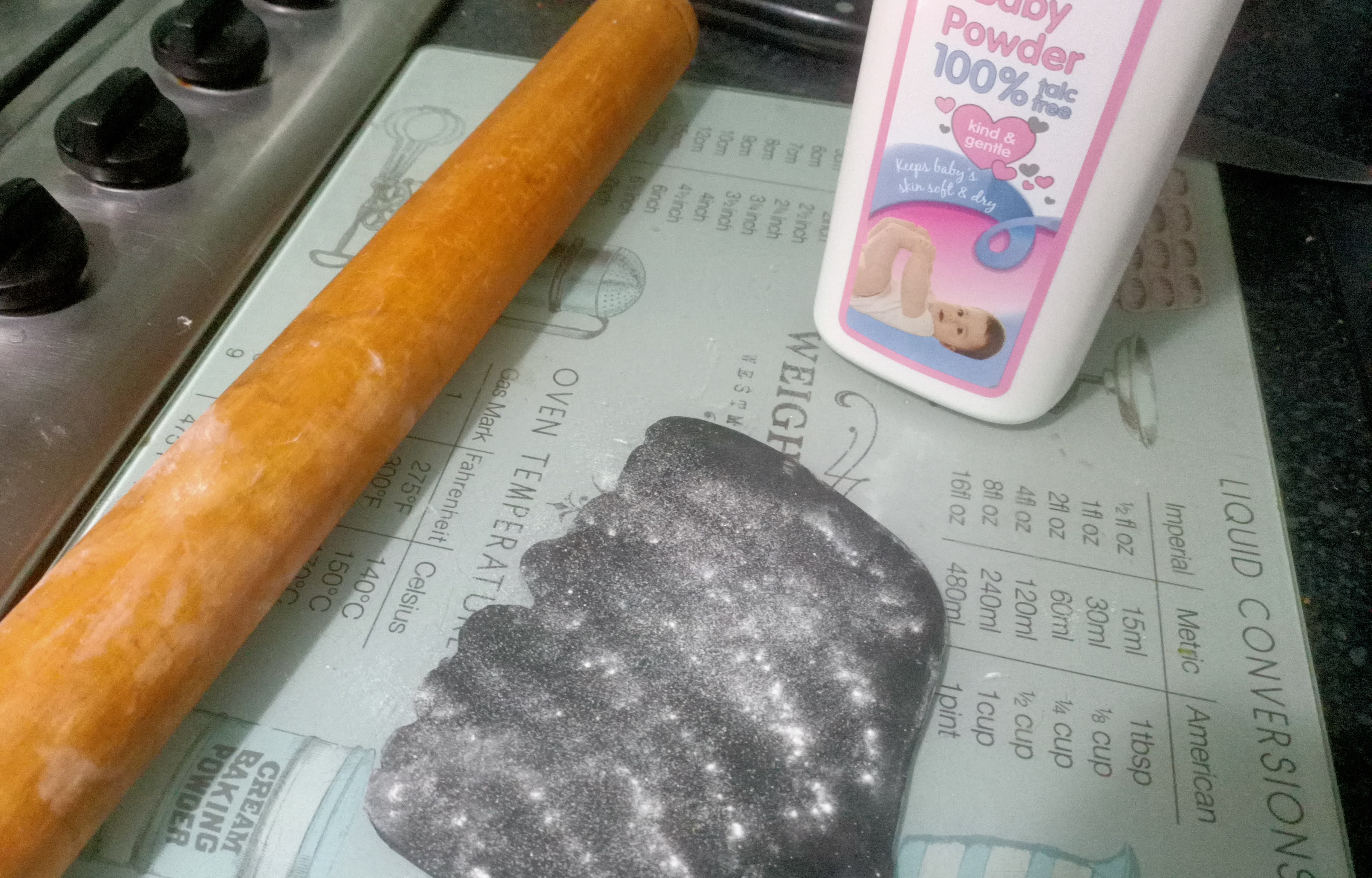
To make sure the clay retained a constant thickness, I put some 3mm acrylic sheet down on either side of the clay. By rolling the Fimo out, while keeping the ends of the rolling pin on the plastic, I ended up with some neatly-rolled, exactly-3mm-thick Fimo.
Another coating of baby powder and it was time to give things a whirl….

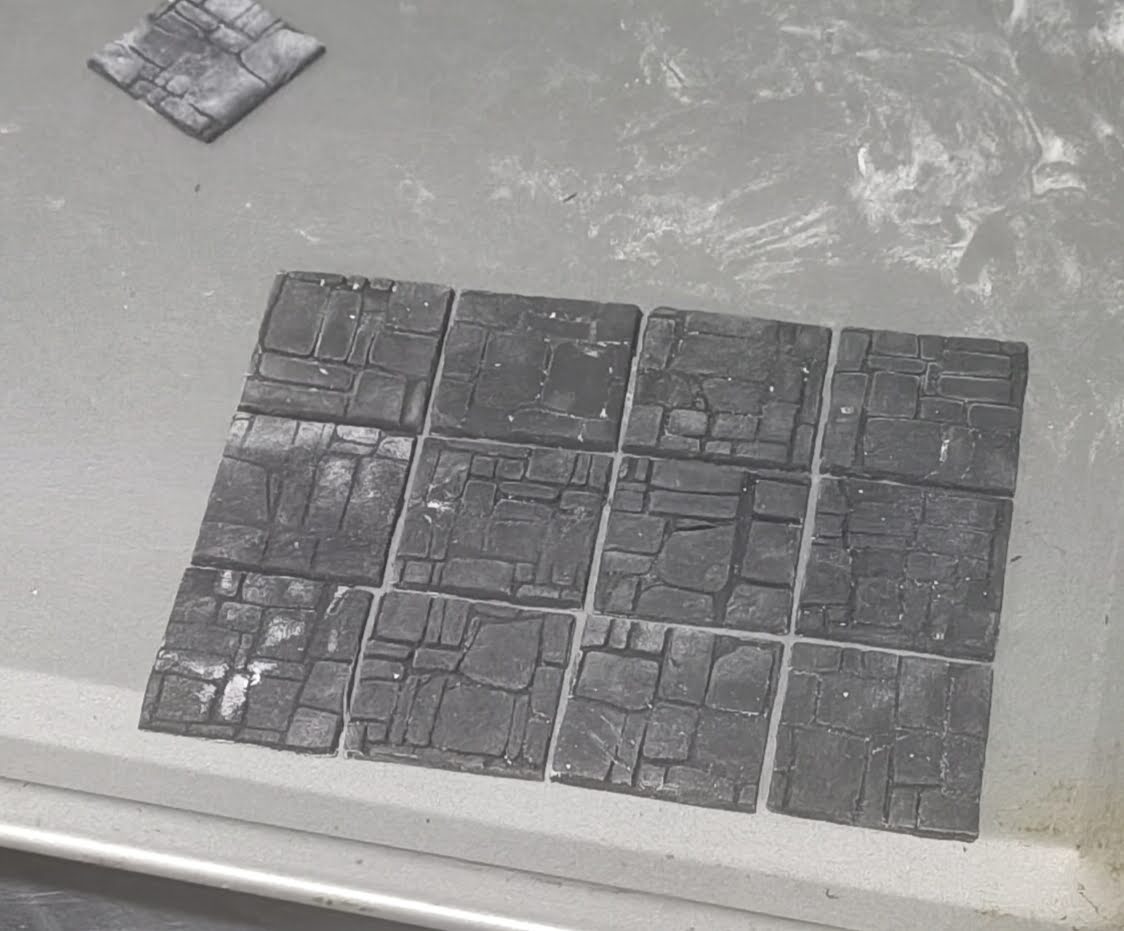
Then, using my one-inch square cutter, I made a whole heap of individual, stone-patterned tiles
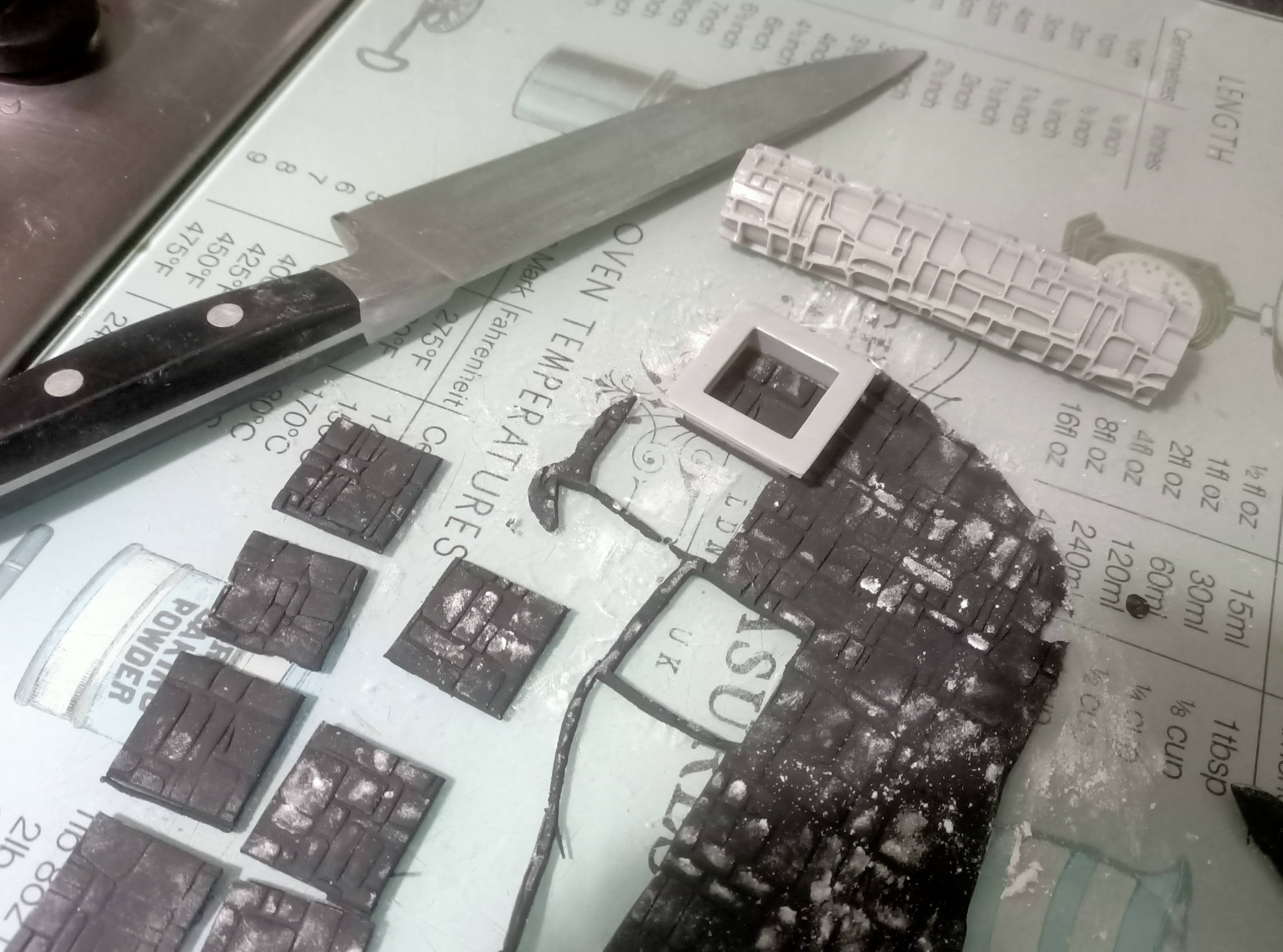
I got the tiles mixed up as I put them back on the baking tray, but I’m not sure it makes that much of a difference! Of course, it’d be nice if the pattern continued from the edge of one tile onto the next – but it’s not something you actually notice, when you see all the tiles put together in a grid formation
Here comes Book World!
I might have to rename “my” worlds in the tabletop version of this game. Or maybe I’m just remembering them poorly. Or maybe I’ve spent far too long on the Cast n’ Play website and now just use their names for everything. But I was convinced it was called Library World – it turns out not… it’s Book World.
But to make a convincing Book World, I needed some library-looking walls.
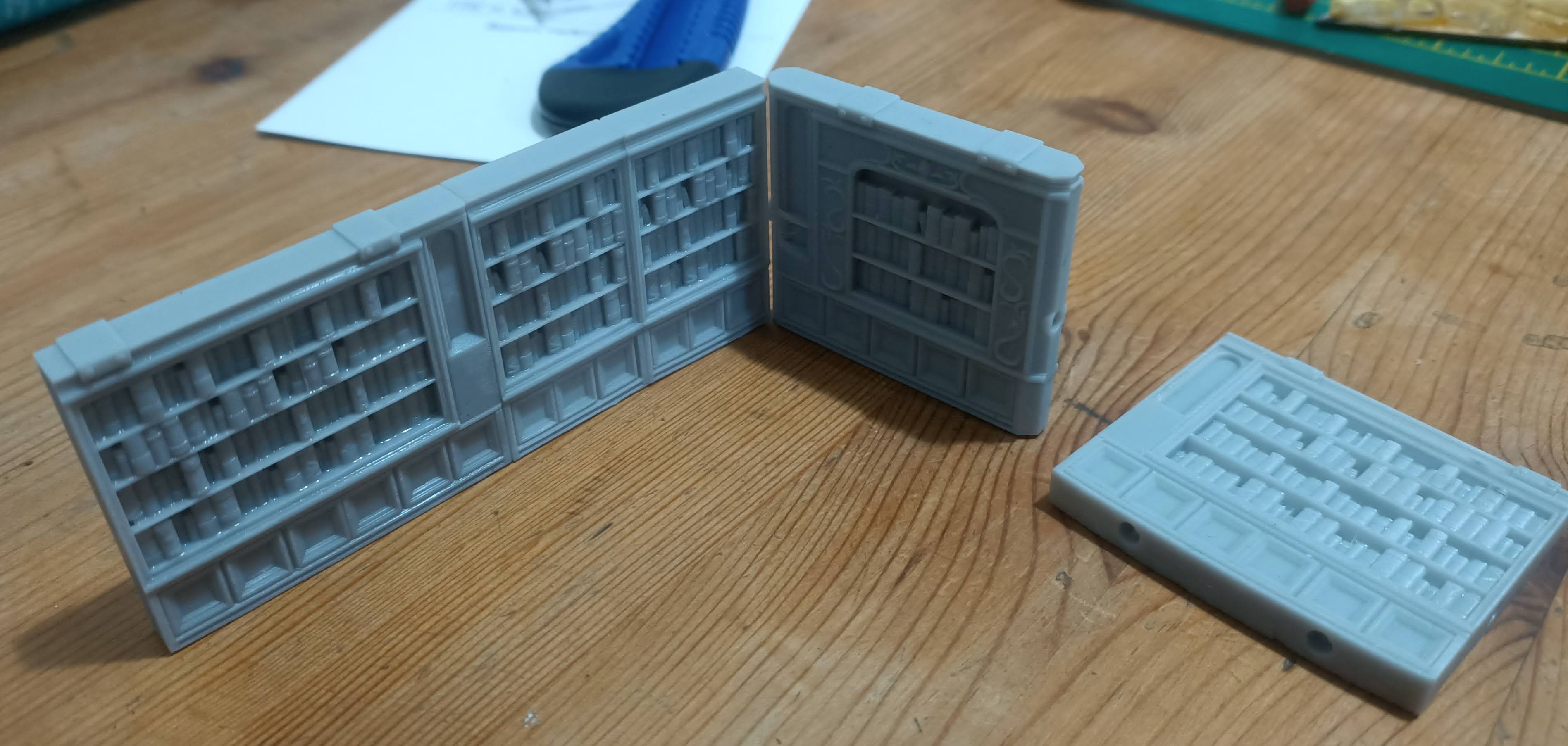
And these little beauties were just the thing!
As with other STL files, I had to do a little bit of hacking in Blender to get them exactly as I wanted (the original models are much, much “chunkier” and would have used up a fantastic amount of resin!) but the end result is pretty pleasing.

I created a digital “jig” in Blender, and placed some 3mm x 2mm discs at one-inch-spacing, to make sure that the magnets in the bases would be perfectly aligned no matter which set of walls I used.
I also put holes for 3mm magnets in the sides of the walls too, and used my virtual jig to make sure they were consistently placed, so everything would just magically line up correctly.
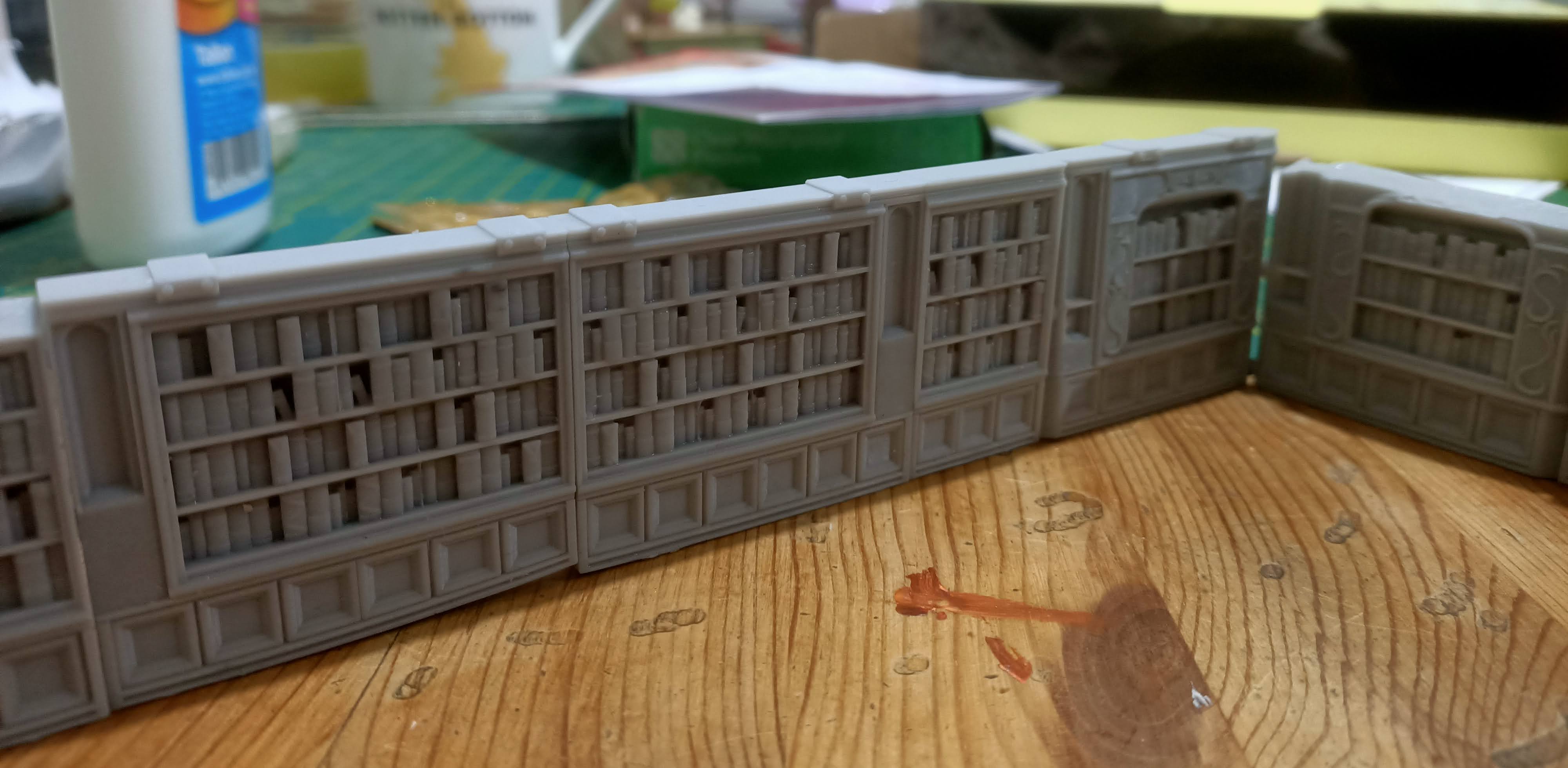
Not only do the wall sections click down onto the playing board with a satisfying “click” they also snap up neatly against each other, providing a robust, free-standing wall that doesn’t fall over or some apart if someone accidentally jogs the table.
The hardest part was getting the orientation of the magnets consistent across all the pieces (a few times I tried to put a couple of wall sections together and instead of snapping together, the magnets actively repelled each other!). But with a bit of planning, and judicious use of a Sharpie, I eventually got all the magnets fitted to all the pieces, the right way around!
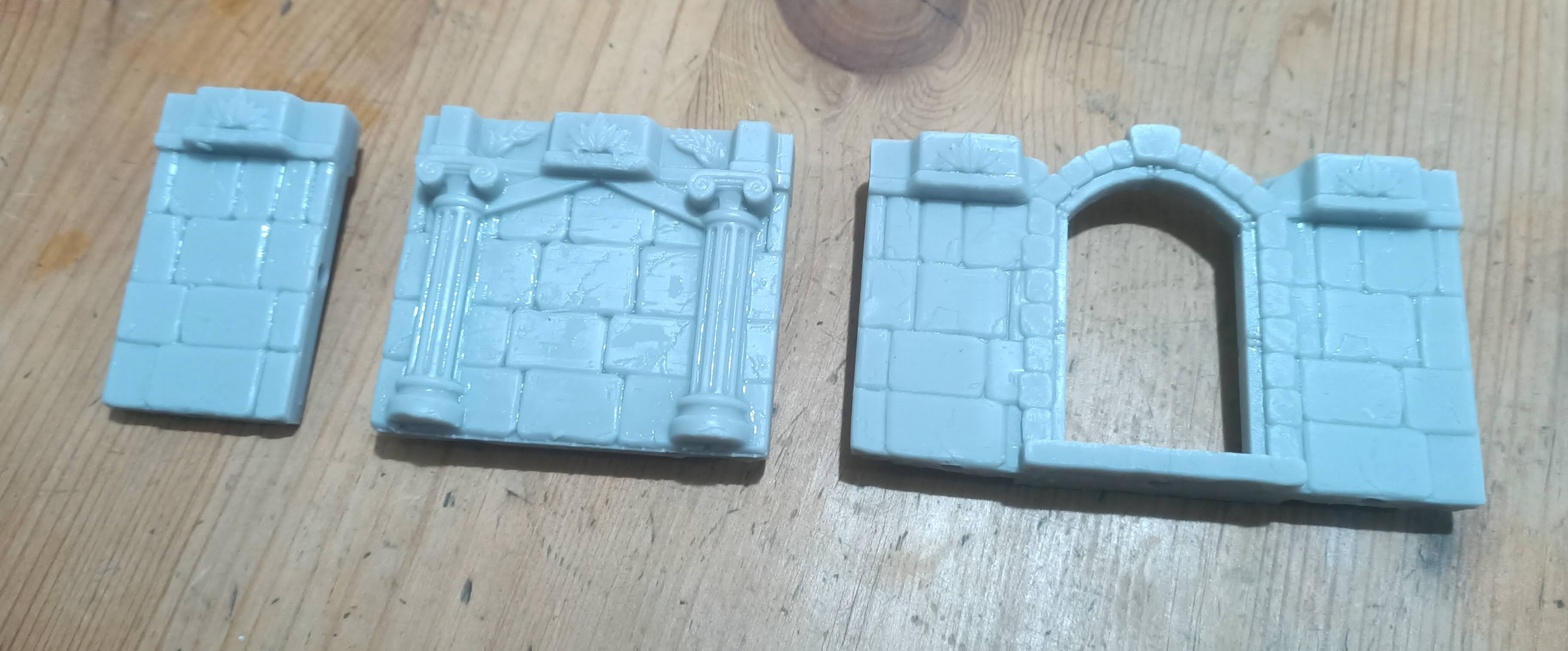
You can see in the photo above where one of my wall sections suffered from the Great Mishap of 2024 (when I let the resin vat run dry during an overnight print) and one of the wall sections appears to have lost its supports in the early layers – but even though not every section is perfect, they still look great, when assembled.
I’m expecting the castle walls to just take a simple prime coat and drybrush to get a realistic rock-looking effect. And I’m expecting to lean heavily into the slapchop-and-Speed Paints approach for Safari World.
But I’m really looking forward to going to town, painting the individual books on the shelves for Book World. I think this world might just be my favourite yet!
More 3d printing
My Castle Blacktooth walls were coming along nicely, and looked great when set up as they would be, along the edge of the playing board. But I was starting to get a bit ahead of myself and a bit sloppy….
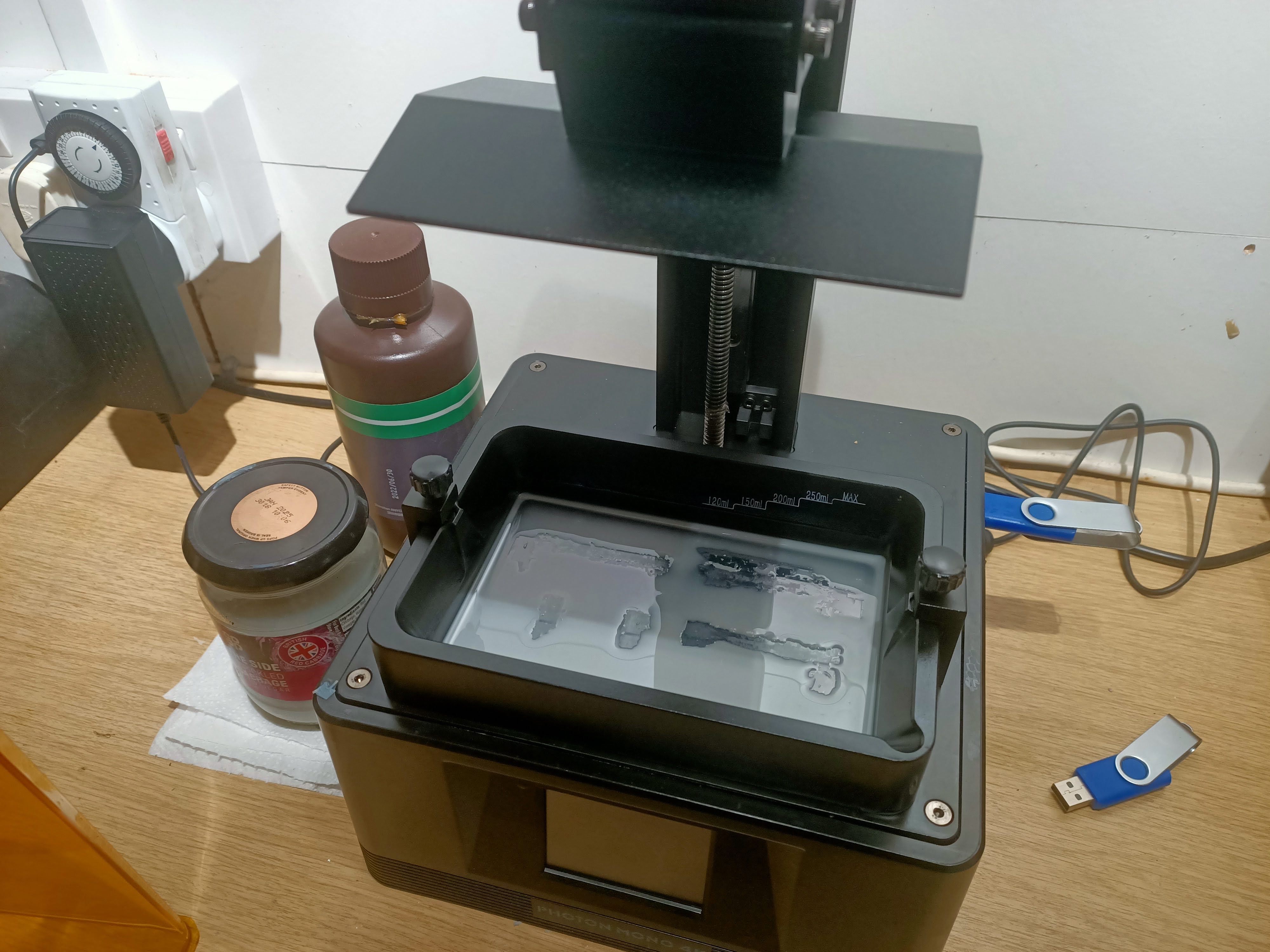
… ok, while I’m not usually one for New Years Resolutions, I think I’ll make mine this year to always top up the resin tank when starting a new print job – especially when leaving an overnight print!
Happy New Year
So Christmas came and went, but things didn’t exactly grind to a halt – even while I was visiting family and having an enforced break away from my 3d printer (based on the fact I was visiting family nearly 300 miles away from it!) my Dungeonalia entry was never far from my mind!
While I’d already printed some nice rustic log-walls for the Safari World, I hit the internet and trawled about (ok, typed “terrain walls” into the search bar of myminifactory) to find some more wall pieces for the other worlds in the game.
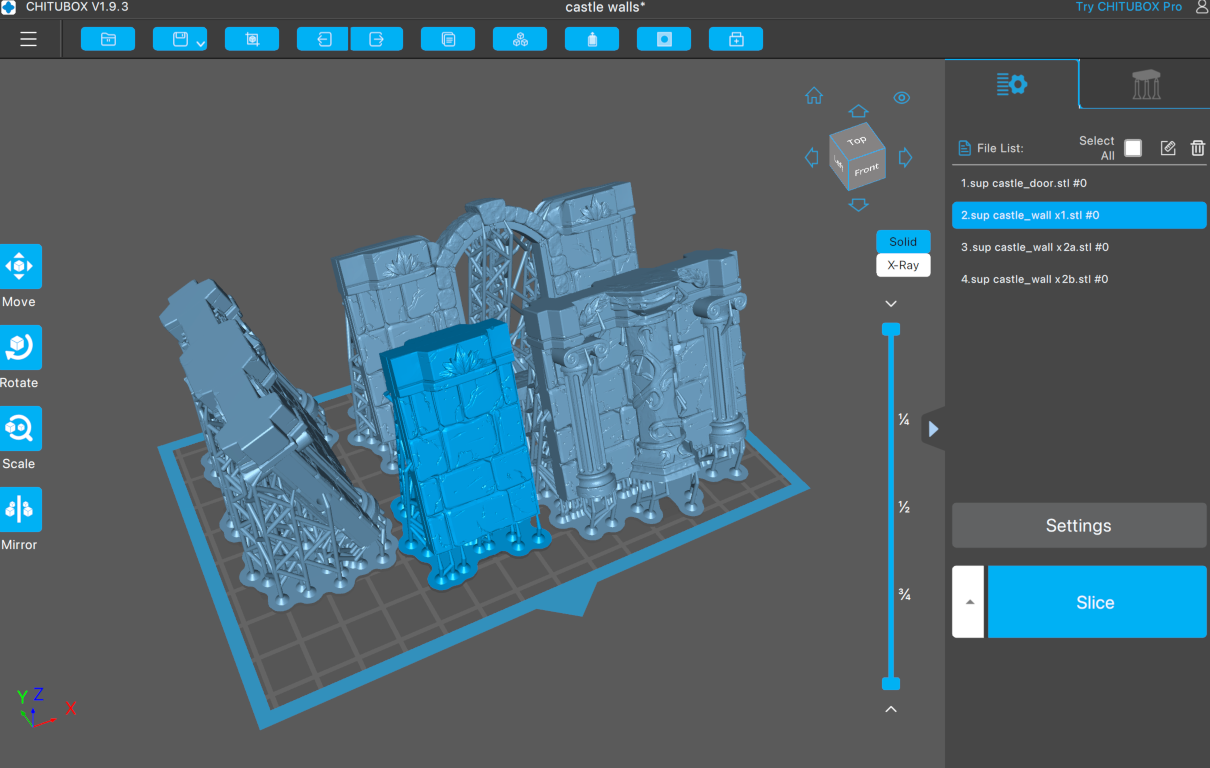
These castle walls from Cast n’ Play will be perfect for the backdrop to any room in Castle Blacktooth.
It took a bit of mesh-mashing in Blender (and fixing a few flipped normals) but I managed to merge the stone doorway (from the Safari World set) into the castle walls, to make a single-doorway piece that still lines up on a one-inch-square grid.
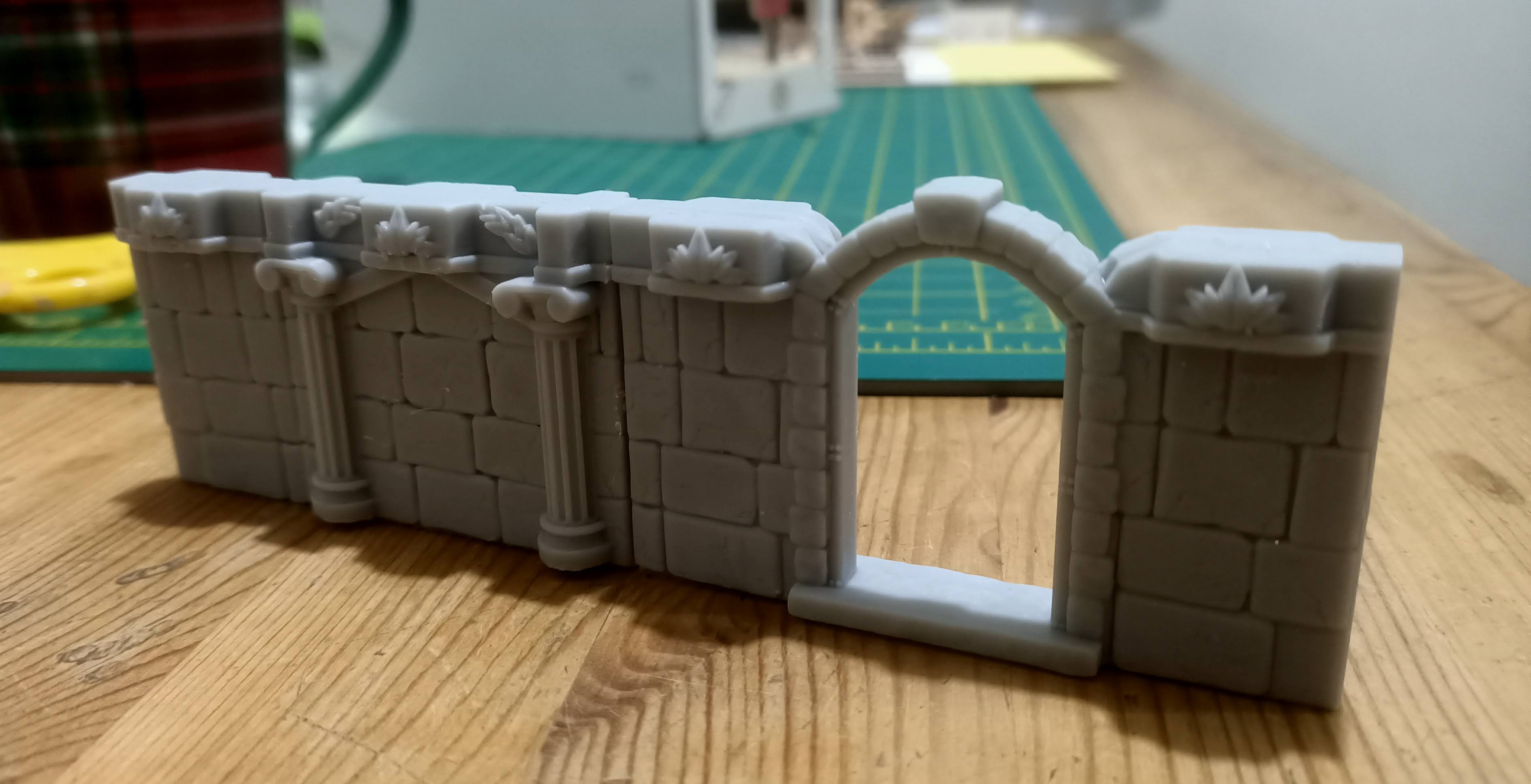
And they printed out beautifully!
What do you mean 7x7 ?
An innocuous comment in the last post, but let’s just clear up why our largest room size is going to be 7 by 7 and not 8 by 8
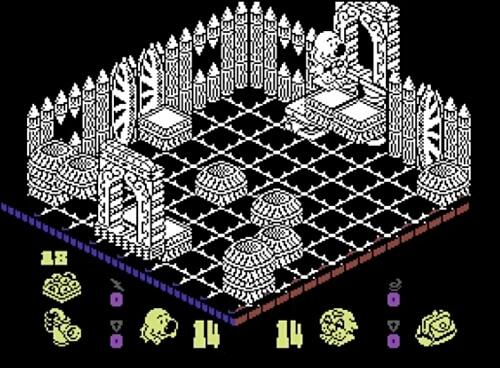
Now it’s perfectly possible to see that the room in the screenshot above is based on an 8 x 8 grid. So why only seven-by-seven?
Well, firstly, let’s think about why the largest room on an 8-bit machine with an 8-bit microprocessor, working with 8-bit memory might have a map of rooms created from an 8 x 8 grid…. ok, spoiler alert – it’s to do with compressing the map data into as few bytes as possible.
But look at that doorway. It straddles two squares of the grid.
In the videogame, you can move your characters within the grid squares that map up each room. But for our tabletop game, we’re going to move in whole grid-squares.
What this means is we need to place our doorways over a single square – we can’t have doorways that straddle the line between two grid squares (we could make them two squares wide, but that just feels like a cop-out.)
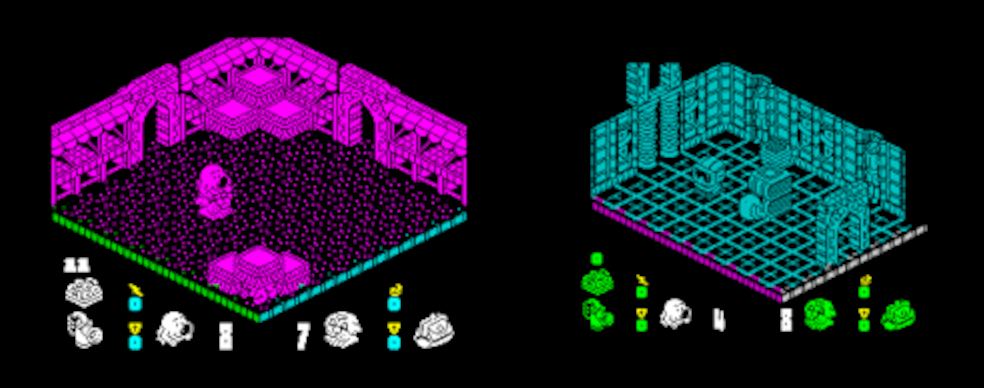
One thing that really sets the scene in the game is that doorways are always, consistently, in the centre of each wall. But if we’re going to have one door taking up just one grid square, we need to keep to an odd number of squares.
Which means a 7 x 7 grid, not an 8 x 8.
But I don’t think it was ever suggested that we’re trying to completely remake the game exactly (such a claim would be overly-ambitious at best, more likely impossible). But a tabletop game that is heavily influenced on it.
It’s quite possible things will change in future; I might make corridors that are only 2 squares wide and just put the doorways off to one side, instead of in the middle. But even if that happens, I reckon a seven-inch-square playing area is going to be big enough for even the most devious of puzzle rooms!
It's still early days
….which means it’s ok to get things wrong or trying things out, or for things to not quite work out as expected. Which is exactly as expected. If that makes sense.
So after finally getting the sizing right, and hacking a couple of “side pieces” for either side of a doorframe (I couldn’t squeeze the width much more, to make it fit a 1″ square tile without it looking ridiculous, so have had to create shorter, thinner less-than-one-inch sections to go either side of each door) things are already starting to look much better.
All the wall sections now line up correctly (I scrapped to two-square-wide pieces and have only single-square width wall sections for now) and everything looked ok. I’m still getting a slight warping on some pieces, meaning the bottoms of the wall sections aren’t always perfectly flat – but it’s nothing to worry about too much atm.

Things have been helped along by adding small 3mm x 2mm magnets in strategic places in each piece (and a small magnet in the centre of the base of each wall section and door frame).
These not only make them much more secure on the tabletop, but help them pull in towards each other with a satisfying “snap” as you place them on the tabletop.
Sure they look a bit rough and ready, and the superglue has got everywhere (I’m still nibbling it off the ends of my fingertips) but the end result is worth it!
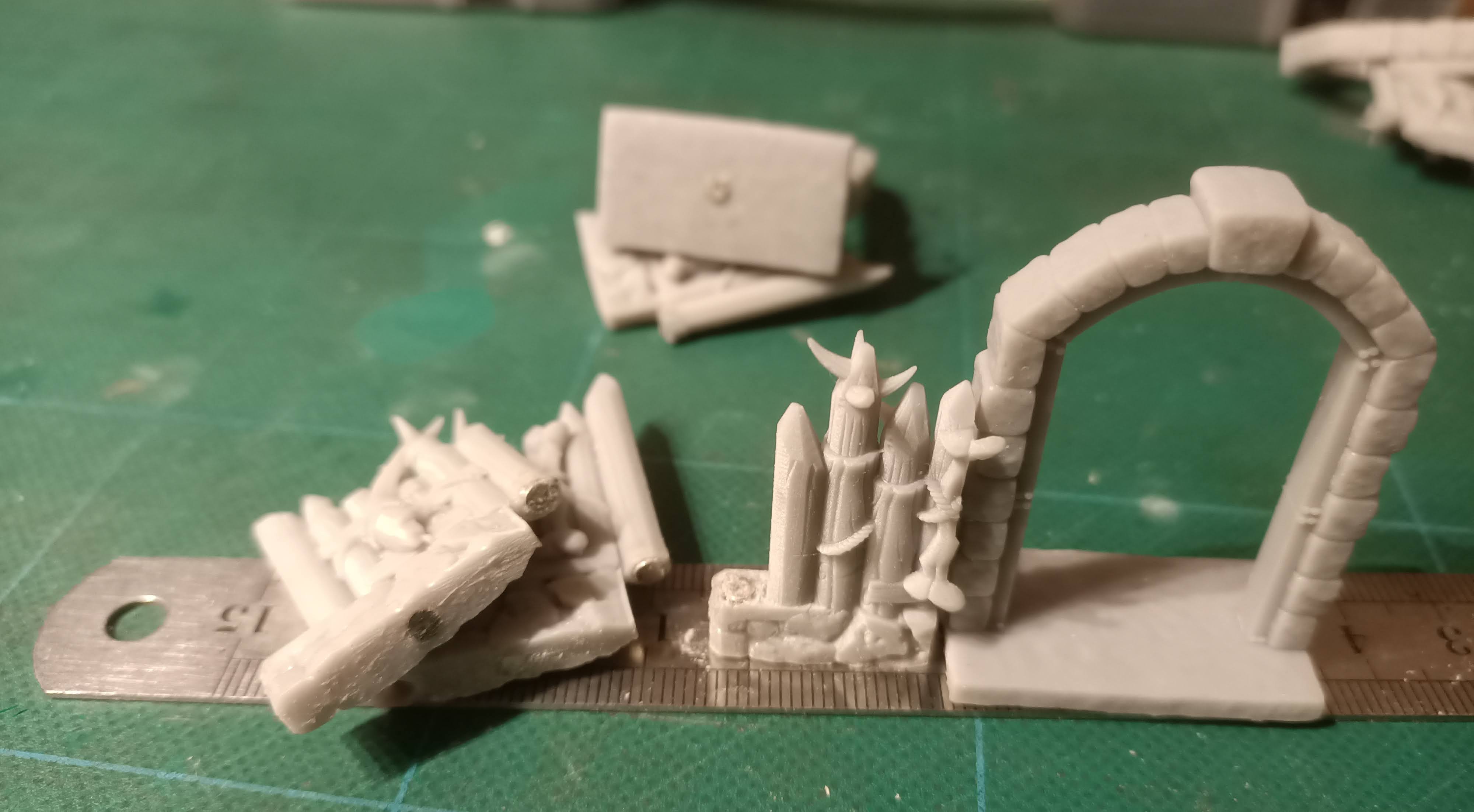
I think repeating this particular print (all of the wall sections shown were printed on a single plate on my AnyCubic 4K Mono) should give me enough wall sections for even the largest 7 x 7 room. Then it’s on to printing some stone dungeon walls (for the “escape from Castle Blacktooth” bit of the game).
3d printing rocks
One of the great things about 3d printing is how quick and easy it makes the “iterative design” process. After printing out and sanding my Head of Heels terrain pieces, I was excited to put them together an see the game start to come to life already. But while the pieces looked great on my cutting mat, when I cam to put them on a playing grid, they didn’t quite line up.
So I spent some time resizing and re-fitting them virtually before committing to the printer one more time.
While they’re printing I thought I’d get on with actually building the dungeon grid. Black Magic Craft has a fantastic tutorial on making foam tiles for this very purpose.
Even while the tiles are printing, there’s one thing I’m committing to, early on – and that’s a 1-inch-square grid. So there’s nothing to stop me working on these while the printer goes burrrrrrr.
Planning the first room
While the game takes place over a number of different themed planets, it starts in a castle dungeon. However, I didn’t yet have access to the STLs for a dungeon, from the Terrain Essential Interiors (vol.2) set.
What I do have, however, is an orc settlement, from a Patreon release a few months ago (from their Warriors of the Wastelands set – https://www.myminifactory.com/tribes/CastnPlay/posts/Warriors_of_the_Wastelands_October_2022_Release-9269 ). The crude log-walls looked ideal for recreating the “Safari World” in the game and were interesting – and challenging – enough to try out a few rough ideas.
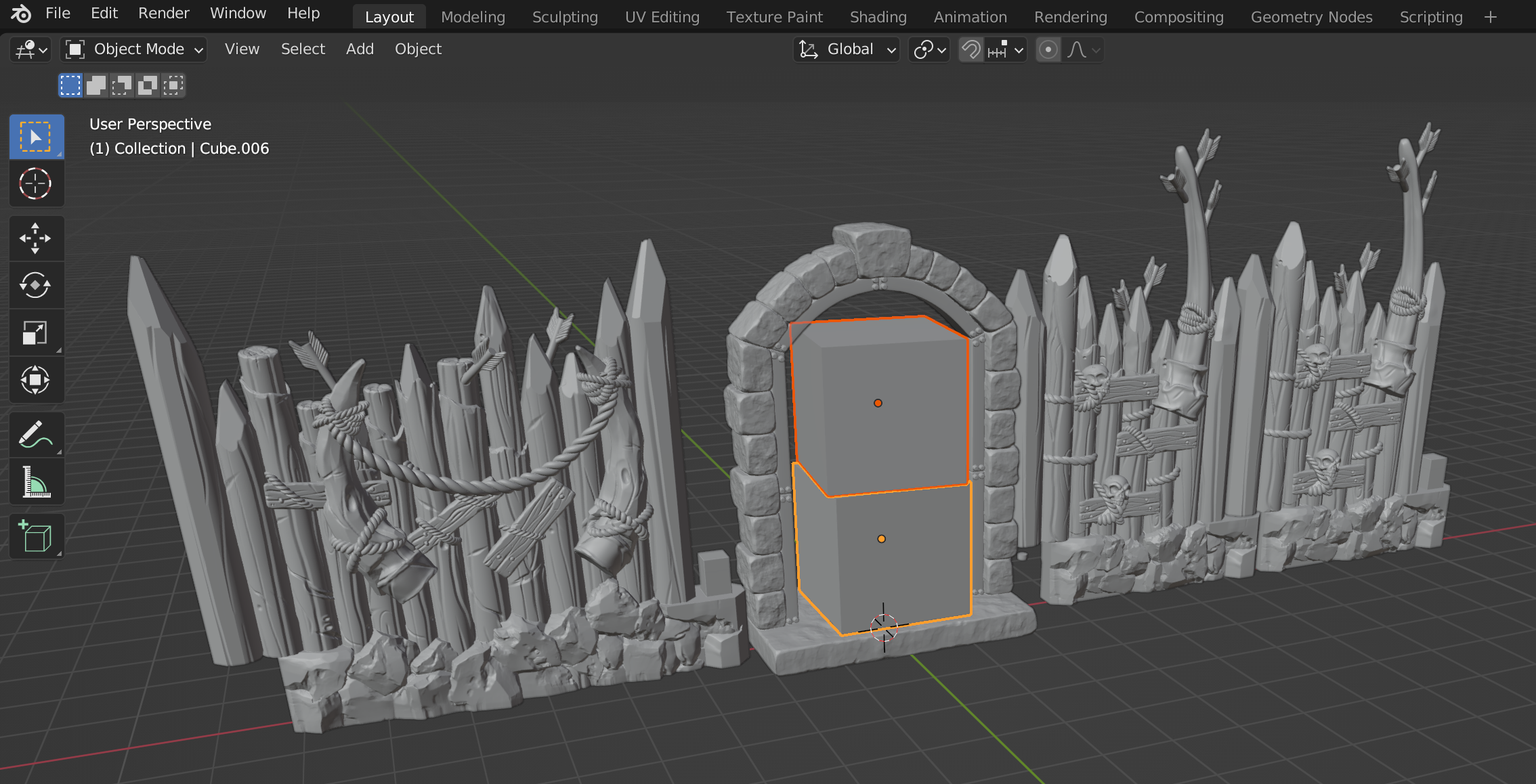
I started by scaling a couple of blocks to represent about how big I wanted my main characters to be. Because these characters are almost cube-shaped in proportions, it would have been very easy to print them too large (or too small) by sticking to some arbitrary scale. So I placed a 32mm mini in my Blender preview window, added a couple of blocks to represent the characters Mr Head and Mr Heels, then used those as my “base units” for the game.
After deciding how big things like the doorways needed to be, I scaled some walls to aim for a roughly-one-inch-square based playing area.
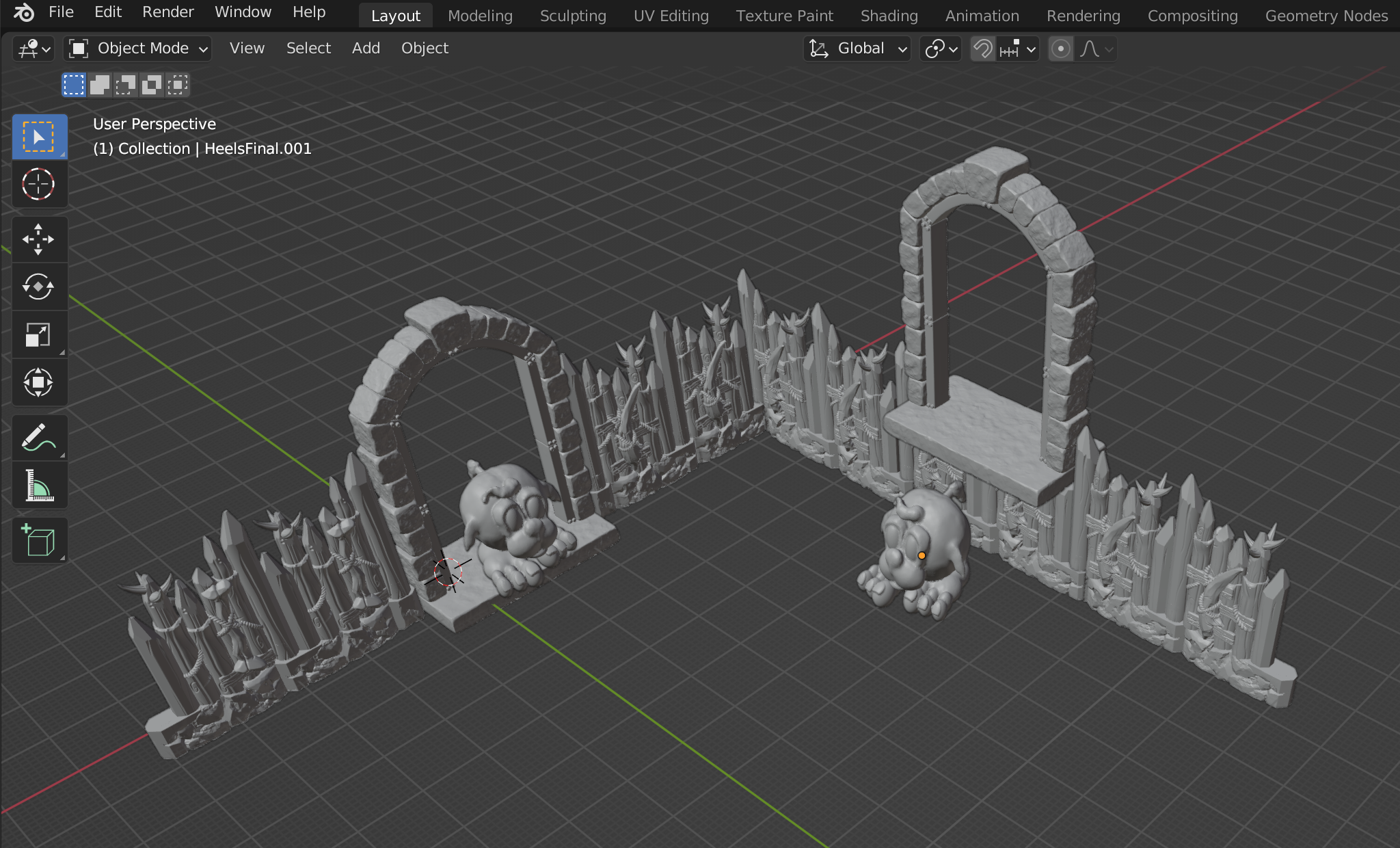
After supporting the STLs myself (one of the things I like about using unsupported files is that you can rescale them without worrying about failed prints) and running the results through UVTuuls (to clean up any islands missed while supporting) it was just a matter of pressing print and waiting….
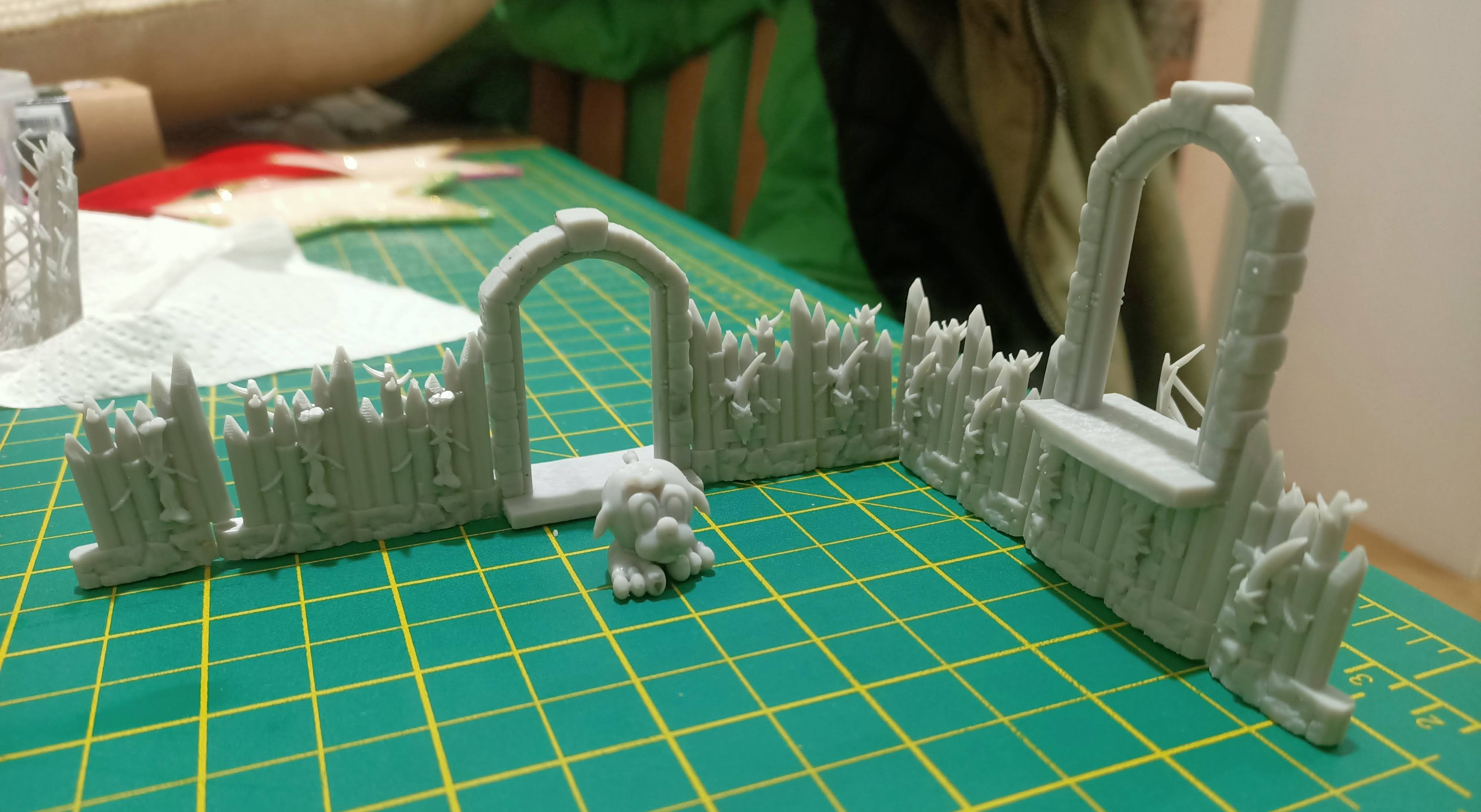
I’m not sure if it’s because of my resin hanging around in an unheated workshop for a few months (it’s December and in the UK that means it’s cold outside!) or that I haven’t quite got the settings for my AnyCubic 4K Mono dialled in properly yet – or maybe the way I angled the STLs for supporting, or maybe just the resin shrinking as it cured – but a couple of the wall pieces have a definite “curve” to the bottoms.
It’s nothing that a quick run across a piece of sandpaper won’t sort out.
But here’s the minis laid out, fresh off the printer.
I think I’m excited for this project already!