










![1918 Spring Offensive Wargame | Full Rules Overview with John & Gerry (WW1 Tabletop Game) [7 Days Early Access]](https://images.beastsofwar.com/2026/03/unboxing-warfulcrum-games-1918-spring-offensive-review-coverimage1-225-127.jpeg)



Feedback, Settings & Fires? – 3D Printing In TableTop Ep2
August 31, 2017 by warzan



For some website features, you will need a FREE account and for some others, you will need to join the Cult of Games.
Or if you have already joined the Cult of Games Log in now
What difference will having a FREE account make?
Setting up a Free account with OnTableTop unlocks a load of additional features and content (see below). You can then get involved with our Tabletop Gaming community, we are very helpful and keen to hear what you have to say. So Join Us Now!
Free Account Includes
- Creating your own project blogs.
- Rating and reviewing games using our innovative system.
- Commenting and ability to upvote.
- Posting in the forums.
- Unlocking of Achivments and collectin hobby xp
- Ability to add places like clubs and stores to our gaming database.
- Follow games, recommend games, use wishlist and mark what games you own.
- You will be able to add friends to your account.
What's the Cult of Games?
Once you have made a free account you can support the community by joing the Cult of Games. Joining the Cult allows you to use even more parts of the site and access to extra content. Check out some of the extra features below.
Cult of Games Membership Includes
- Reduced ads, for a better browsing experience (feature can be turned on or off in your profile).
- Access to The Cult of Games XLBS Sunday Show.
- Extra hobby videos about painting, terrain building etc.
- Exclusive interviews with the best game designers etc.
- Behind the scenes studio VLogs.
- Access to our live stream archives.
- Early access to our event tickets.
- Access to the CoG Greenroom.
- Access to the CoG Chamber of Commerce.
- Access the CoG Bazarr Trading Forum.
- Create and Edit Records for Games, Companies and Professionals.








![StarCraft Tabletop Miniatures Game Pre-Orders Live Now [Updated]](https://images.beastsofwar.com/2026/03/starcraft-tmg-news-cover-600-338.jpg)










![Mounted US Cavalry On Kickstarter For Dead Man’s Hand! [Updated]](https://images.beastsofwar.com/2026/03/us-cavalry-main-600-338.jpg)
A friend of mine literally burned his workshop down by leaving his 3D printer on overnight. He lost ALOT of uninsured machinery and his livelihood. I couldn’t tell you if that could have happened with any piece of equipment but it feels like a relevant cautionary tale.
Yeah big no no. I’ve seen them tip over, get clogged and throw molten plastic and worse. Don’t leave them anywhere you can’t hear them.
great comments @caesar @elessar2590 thanks for the heads up.
Has anyone explored fire prevention for these things?
It’s for a different model, but I’m going to guess that every model of 3D printer has a print-your-own upgrade or safety kit.
https://www.youtube.com/watch?v=MzWVrv4L1R0
They also put tape on the printing bed rubbed down with IPA to stop the print from lifting – not a safety tip as such, but could save you printing a raft each time.
I knew a guy that had a metal box that could be folded around the printer to stop fires but it also messed with the cooling process by trapping heat.
For jobs that take longer than work hours try to split the job into smaller print jobs and glue them later. Pausing and restarting doesn’t work. The plastic remelts but not properly and even the tiniest bump can ruin a whole job.
@warzan
1) Buy a battery powered smoke alarm
2) Buy a web-camera/video baby monitor
3) use a free app to have the web-camera send your cell-phones an alert if the smoke alarm makes a sound – here’s some free apps – http://www.ugolog.com/pages/25-applications-to-turn-your-webcam-into-home-security-system
Bonus – you can make the web-camera free for Beast community member around the world to watch your triumphs unfold – or collapse
Will admit I was dubious with regard to the above until this morning I found my printer had travelled forwards about 40cm and was overhanging the end of the workbench while working through a 24 hour print job. Can now see how accidents would occur. Printer is now resting on and surrounded by a fire blanket and the printer frame is tethered to the wall at 2 different anchor points to prevent further travel.
FYI travel appeared to be due to printing of roof tiles which involved a lot of continual back and forth of the Y axis at short intervals. If your printer has a light frame and is on a surface without much grip it may be worthwhile exploring the possibility of using rubber adhesive pads or a rubber mat under the printer to provide greater grip and reduce printer movement.
I always suggest each make their own decisions. My printers run all night and during the day. Some prints have taken over 100 hours to complete.
As warren sait that is not something specific to 3D printing.
In general it is not a good idea to leave anything running unsupervised.
Wether that’s your phone charging overnight, your dishwasher, an oven or a 3D printer doesn’t matter.
Servers and such can run 24/7, but they also tend to be used in areas that have airconditioning running at all times.
The moment something goes wrong you want to be able to respond or limit the potential damage.
At the very least get yourself a smoke detector for the room the equipment is in.
Consider installing a webcam but don’t rely on it to do your job.
The rest is common sense :
– use the power socket without any extension cables and such at all. (rolled up cables are a big NO!)
– clear out dust and other fire hazards
– check if the area of the device is clear of any obstructions
– check if the machine will shut down automatically if it overheats or is blocked.
The way the printer behaved in the previous video could be an issue on bigger models.
– check how fast you can shut the thing down manually and practice this procedure.
There is a good reason why machines in factories have a big red kill switch …
If you want to be properly paranoid then keep fire extinguisher (one that is rated for electrical fires) and fire blanket nearby.
Make sure your hands are spotless when touching the nozzle or bed. Melted PLA hates water and even the tiniest bit of skin oil can disturb the plastics contact with the bed and cause warping.
Because of the way PLA is when heated cooling time isn’t a huge issue and if cooled faster you can get sharper lines as the plastic doesn’t “droop” as much when cooling.
Ambient heat is an issue though so if you take a PLA piece and put it next to a heater/computer exhaust fan or even the printer itself it can start warping. If possible put the pieces far away from heat and don’t touch them with your fingers to be 100% safe.
Cooling times are tricky. Basically when you heat something you’re manipulating it’s molecules and making them easier to move then cooling sets them in place. Think of an air hockey table where a puck moves easier with air and harder without.
Cooling quickly can make things warp, deform and crack as the molecules can’t settle fast enough. Think a group of kids trying to get in a line and you yell stop after two seconds it’s chaos.
Cooling too slowly can have the opposite effect where something can bend or warp easier and lose its shape. Think bending a hot piece of metal compared to a cold one.
For example. A blacksmith will heat a piece of steal until it is no longer magnetic then allow it to cool slowly and ‘anneal’ making it softer and easier to work. The same blacksmith will then take a finished blade, heat it and submerge it in oil to cool it quickly to “quench” or harden it. Quenching exposes faults in the metal and can crack if cooled too fast.
So while cooling time isn’t important the cooling bracket is. Too hot and it will deform and warp, too cold and it will crack and warp. All about the sweet spot.
Fair warning I’m coming at this from a hobby of blacksmithing and a failed attempt at engineering so I might be wrong.
“Make sure your hands are spotless when touching the nozzle or bed”
Let he who is without sin, print the first stone.
lol
I’m now printing a holder for my wet wipes to sit beside the printer 😉
there’s always the option of using gloves.
Whether that should be classic latex, cotton (as used by jewelers), anti static/ESD (as used when working with electronics) or something else I wouldn’t know.
@warzan — this is a great VLOG and hope it continues! I agree to keep things public so the information can help others
Regarding Temps, this is what I have found. You need a different temp for the first layer than the other layers. From my experience (and this may vary depending on the printer so this not to be taken as anything more than a recommendation that may need to be adjusted)
PLA with a Heated Bed
First Layer Other Layers
Extruder 195C 185C
Bed 70C 60C
I also suggest brim as discussed in your video
You may also want to have a small fan to help cool your item for larger items. There is this whole heating and cooling thing that you have to master.
Oh, and keep a notebook because you need to write down your experiment, settings changes and notes on results.
I’d try to print xyz cube or a benchy as a test it’s not something that you can use in game but they are 2 consistent models that are design to calibrate the printers. Also you should level the bed before every print (whilst the printer is pre heated) as it can move during prints I use a 0.1 feeler gauge to get the hieghts correct. I be only just started my 3D print journey a couple of months ago but have already printed my first building for the Batman game I leave my printer running over night but never when I’m out because of the horror stories of them catching fire.
My guess is warp due to change in heat on that piece. Is your print bed enclosed? makes a huge difference. Also use stick glue to help it set on the surface.
For a test piece from Thingiverse, I suggest the crates design by Dutchmogul
https://www.thingiverse.com/thing:2010492
I put a post on my blog last night showing many of the models we have printed from terrain to video game guns plus my Viking boat of course (going to make 2 more)
https://shermon.wordpress.com/2017/08/29/taking-the-next-step-3d-printing/
I have left my printer over night many times, but found the printer stuck with all heat on after a computer reboot. My computer wasnt supposed to reboot without my permission, but it did.
Print times: Example the viking boat from printable scenery.
The hull comes in three parts. Front 7 hours, middle 3 hours, and back 5 hours. The parts I finished the other might mast hole, and couple supports took 26 min.
I am printing a barn from printable scenery right now. Right side took six hours and the left will take about the same. Still need to print the roof parts.
Recommendation on next printer get a larger bed as you advance. Mine is limited to 6″ x 6″ x 6″
I have a cheapo flashforge finder, a plug and play type printer.
It used PLA exclusively, runs by default at 220 degrees c and does not have a heated bed.
My first prints had the same bend underneath as your example.
It turned out the reason was a draught blowing past the print bed cooling the plastic on one side more than the other, making it warp like that.
The solution was to make a cover with the cardboard box it came in. and line the front gap with a towel. It prints warm and snug.
And then the same happened at a later date, wiich was rectified by re-leveling the print bed.
I find you need the nozzle to leave a good squish (it pressed the plastic flat, so it leaves a stripe of plastic on the test run) on the print bed.
I find that the printer needs re-levelling every so often, and as soon as any bend turns up.
I generally print at 10 or 15% infill, depending on the size of the model. You generally won’t need any more for wargaming.
You will find that reducing infill and increading print layer to 0.2 should drastically shorten the time each model prints.
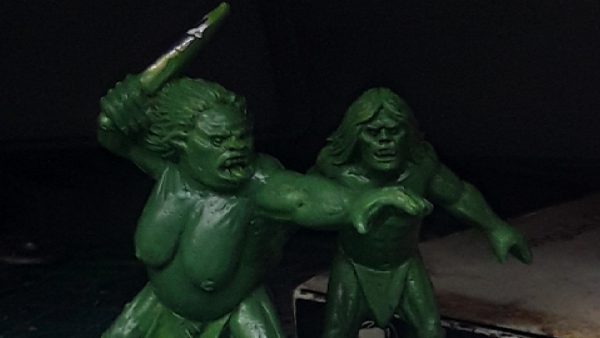
this gorilla takes about an hour to print in 28mm, with a small raft and supports.
I write a bit about my experience 3d printing miniatures with this beholder on my blog.
Great stuff @maledrakh mate!
I am such a huge fan of beholders too! (hopping over to your blog now!)
@maledrakh quick question… In your blog post about the beholder you say you set the layer height to .01
is that 0.01 of a millimeter?
the fine setting on cuda for me is 0.6 mm
Is that as far as my printer will go, or does your printer have nearly 6x the resolution?
Cheers mate
@warzan! Thanks for pointng out my little error there, the resolution was supposed to say 0.1mm. I checked the flashprint slicer software, and actually the “hyper” setting is 0.08mm. I have corrected the posts in question. (I find my fingers write .01 every time I try to write .1 (even now!) That’s muscle memory for you.)
However, I find that when making terrain bits, printing on “standard” setting at 0.18mm is both much faster, easier on the nozzle and yields prints that are almost identical. There will be slight print lines anyhow.
Are you sure your best resolution is .6mm and not .06mm (which would be better than mine, as I have heard the prusa mkiii and it’s clones should have)?
also, I run my printer late nights, have never had any problem with fires. but I have put it on a non-flammable surface and the walls around are stone. Just in case.
First of temperature of the bed. It should be reaalised that PLA generally starts to lose physical strength at above 60 degrees, admittedly at 60 degrees this is minimal but it can be noticable, this ‘can’ have an affect on prints.
We run our printers almost exclusively for PLA printing and we run the beds at 55 degrees, this gives us a buffer of 5 degrees. It should also be noted that although you have set the temperature at ‘x’ degrees the bed will fluctuate both above and beneath this temperature so expect a variance of 4 or 5 degrees to occur naturally either side of your settings.
The problem with the ‘curling’ could be one of several things, or a combination of them. Hope you are sitting comfortably. 😉
1) Dirty print bed. This is perhaps the most likely causes but also the easiest to solve.
The contamination can be anything from high moisture vapour having settled on the bed in one particular area or what is the most likely is that grease of some kind is on the print bed (normally from fingers and hands).
The print bed can though be easily cleaned and this is often done with isopropyl alcohol or acetone. A simple wipe with a kitchen paper towell with a couple of drops of either of those mentioned should clean the bed of any grease contamination. As you wipe the cool bed (do not do it on a heated bed as both liquids would evaporate too quickly) you will see the shiny film on the print bed and see it evaporate of the bed. (Of course this should be done in a well ventilated area if using either of those liquids mentioned above and I do not think your offices – or the ‘dark corridor’ you propose moving the printer to are or would be ventilated enough to use either of these liquids.)
The other choice is simply to get either soapy water to wash the bed, then clean water to rinse the bed and then wait fro it to dry, (This is not recommended though as it is actually a waste of valuable printing and gaming time.) You can get inexpensive wipes to wipe the print bed, these act very much in the same way as the wipes you can get to wipe and clean your computer screen. This is inexpensive and although not 100% as effec tive as the liquids mentioned above are good enough for most printer users IMO. Yes you sometimes might have to use 2 or 3 wipes, but it is quick and inexpensive.
2) Bed levelling (or lack of it) may also cause the bending of the print you showed. Just do a quick check of the bed to make sure one corner has not become slightly askew from when you previously levelled the bed. (This can happen just by removing prints from the bed previously,) If the levelling is off then of course just re-level the bed and this could well solve your problem.
3) Height of print head from the build plate (bed). Well levelling should resolve this, if the print is in the middle of the bed and the curling or lifting was general on two opposing corners (diagonally opposite each other if looking at the print from above) this could well mean that the print head is too high in general and lowering it slightly towards the print bed should resolve this problem. If though it is at just one side of a print or one corner of a print this is unlikely to be the cause (providing the bed is level).
4) Under extrusion. This can be the bane of a 3d printer’s life. We have to remember that the filament is not made all to such high standards as we would like, this is where a little bit of maths (use of a calculator 😉 ) can solve this. Get a good set of digital callipers and measure the thickness of your filament in at least 3 places over a 10 – 15 metre length. Add the 3 values you get together and divide it by 3. It is very unlikely that you will get 1.75mm as the result. This can cause problems because your programs are telling the printer that the filament is 1.75mm diameter. What you have to do is calculate the difference in percentage terms the diameter of your filament is compared to 1.75mm and tell your program to take this into account when it is calculating the amount of filament it is extruding. (This sounds diffficult but it isn’t – each slicing program these days allows you to adjust for this.)
Now you are advised (academically) to do this with every new roll of filament you use, in reel life it is actually common for me us to check a batch of rolls at one time and just note the difference if required. If the rolls are within 1-2% we do not adjust at all our settings.
5) Hydration of the filament. PLA will absord water moisture from the air (you will have noticed that invariably each roll is packed with a gel bag to absord water vapour within the bag whilst it is stored, this is why). If a roll of filament has become hydrated (taken on water) it will not print well at all and can lead to almost any kind of failed print problem (or contribute towards) such, like the curling you have or blocked nozzles, breaking or non adnesion of layers to each other in a print. Hydration of filament is the Devil’s Child incarnate of printing. (You may gather I have experienced problems with it in the past. 🙂 )
You can buy de-humidifiers for rolls of filament but other solutions are drying them in a warm. dry. and clean oven, placing them in sealed bags with hydrosorbent silica gel which will attract the water to it and out of the filament, but this can take a long time and if the hydration of the filament is throughout the reel then the chances of successfully removing the water from the inner most part of the filament roll is slim.
Obviously a combination of any of these problems can and does occur, but you have to treat each cause seperately generally.
My guess though is that your build plate (bed) was dirty in one area/spot that resulted in the adhesion of the first layer to the bed was not as good in that area as the rest of the bed. If your bed does prove to be level then this is the likely cause with a close second being under extrusion (but I saw no evidence elsewhere of that on the video).
Try cleaning the bed and then try some simple prints (without raft or brim) and see how they turn out, these can generally be prints taking just 5 – 10 minutes each, you are just cheack about 10 layers of height and to see if the print lifts still. If it does then you could try spraying a thin layer of hairspray (literally just a mist) onto the printbed and see if this helps. If this doesn’t then try lowering your printhead by 10 microns towards your bed and then try the the test print and see if this will help resolve the problem.
I was going to go on about SLA printers, fire risk, etc, but I shall leave that for the next lecture. LOL.
(Sorry I wish I could make the above funny or shorter but it is just the boring bit and every hobby has a little bit of that.)
Good luck Warren, this is really the future for wargame terrain and I suspect miniatures as well.
Hell I didn’t realise I had waffled THAT LONG until I saw the post published. Yikes. (Think I will go amd grab a bear now and hide my head in shame. 🙁 )
ehh it about as long as @warzan rant so you know not too long. We all feel you
Brilliant post @billroy
@billroy: while your post was a long one, it includes some good tips, so thank you. I am curious about your ideas according fire protection. I have similar feelings as Warren about it. So I try to be at home when the printer runs. But I must confess, sometimes I fail in doing so. Luckily the printer did not fail yet.
About the testmodel:
Wargamers always need walls. And these work well for 28mm or 15mm (scale down to 60%):
https://www.thingiverse.com/thing:808522
Just thought about the suggested model. It is perhaps not the best one for testprints as it has no flat surfaces and therefore you won’t be able to see the impact of the settings you try when you optimize for layer visibility
I’m working on this at the moment (currently trying a barrel) 🙂
nice video @warzan the sound was a bit low.
Yup, I’m trailing a one man vlogging experiment at the moment where the whole vlog is recorded, edited and published from a single mobile device – to be able to reach out more (and faster)
The current method is high quality, but a simple vlog can sit in a queue for hours (sometimes potentially a day or more) waiting for the editing team to be freed up to deal with it.
It’s looking like there are some quality trade offs though (but I am working on them!) 🙂
Bed leveling is the utmost important aspect of printing. It causes all kinds of headaches when not done right. Second when using PLA you do not need a hot print bed. Some people do not use heat at all. I typically run at about 50 degrees and I always clean mine with alcohol first. You should prep your bed with some hair spray first and then a light alcohol wipe. That will usually help with adhesion. You print speed and layer height will be your biggest issues with print quality. Another is nozzle size. I going to assume you are using a 0.4mm nozzle (pretty standard on most printers) that will dictate print speed as well. A good operating temp for your nozzle is about 200 degrees. Also remember a quality filament is important as well. I have had some that are just junk. I have even found different colours print differently from the same manufacturer. I will be honest I run my printers for hours at a time even over night and when I am away. Otherwise I would never get through some prints. Buying a quality machine and insuring your wiring is solid with no rubbing against the frame is vital. There are several great sites for 3D printing (3D Printing Nerd and Makers Muse) also a quality .stl file will great increase your chances of success. An excellent example is Printable Scenery.com that make great pieces. Also there is nothing like creating your own prints. I did for Star Wars Destiny tokens and then another member did one better and created multi-coloured ones!
The uneven surface appears to be a bed leveling issue and some adhesion. Carbon Fiber is higher temp requirements and wears on the print nozzle.
@stvitusdancern My hunch is you are correct I’ll try a couple of test prints today and do some bed leveling.
I had some assumptions about bed leveling, but I’m going to research some more into it…
Warren, thank you for keeping the conversation open to all. I too an a beginner having bought my first printer 3 weeks ago. I am learning a lot from all the comments. And my thanks to all for your input.
I wonder if you could enclose the printer to prevents drafts and keep the plastic all at the same temperature and at the same rate of cooling? Maybe for an experiment get one of those cheap foam coolers and place that over the printer and see if that helps with the warping.
A heated bed can be a benefit for adhesion although not strictly a must for PLA (a must have for other materials). I think the lift you can see is down to a draft although the heated bed can help with that too….. I had serious issues initially with a window near my printer making all my prints lift. I have never really had much issue with bed cleanliness causing issues, obviously bits of PLA is not a good idea at all…. Oils and grease could be a really issue bu unless you have the unit in a garage…… I enclosed my printer and can saw improvements straight away. Bed leveling can be a challenge some printer are better than others.
I have a really nice “wooden Crate” that I print for tests and also to ensure that when a print does fail its to do with that file and not a machine fault of some kind. The crate is great scatter terrain and so is not a wasted item.
I regularly print items overnight. I am not sure how much risk beyond a normal appliance running there is for a printer. I have had plenty of failed prints ending in a hot mess but never any sign of fire. I do only print in PLA or Polywood I do not think either are a big fire risk ABS may pose a greater risk????
Its clear to me that printers are all a little different and then a way an item is drawn can be effect the production too.
I have recent printed a large crate over my normal crate and tbh I needed different setting to make it work. You do however learn your machine and what it will and won’t do……. Trial and error.
IT is however an epic part of the hobby and I will post a few of my successful items up on the forum…
Watch this Cura Vs. Simplify3D: A Slicer Comparison
https://www.youtube.com/watch?v=sW8ax9VgbAk
GW
Good to see you getting to grips with 3D printing, if you have to manually level the bed each time you print I found a feeler gauge very helpful.
If you wanted something to print that you could use afterwards have looked at the openlock stuff on thingiverse:
https://www.thingiverse.com/search/page:1?q=openlock&sa=&dwh=2759a9bb1c5448c
As a 3d printing beginner who is gathering as much info as I can before my printer arrives I am enjoying these vlogs and discussion.
Thanks